Quilt Sashing Calculator: Strips, Cornerstones & Size

Calculate sashing strip cuts, cornerstones, fabric yardage and the finished size of a square or rectangular block grid.

If you already know your block grid and sashing width, this page gives you the cutting numbers first. You can then check every result against the formulas, follow a 4 × 5 worked example and see how Quiltler measures sashing in a fabric-filled quilt layout.

Quilt Sashing Calculator

Enter the number of columns and rows, then provide separate finished block widths and heights. Choose the finished sashing width, seam allowance, usable width of fabric, cornerstones and optional outside sashing to calculate the finished quilt size, cut sizes, piece counts, WOF strips and rounded yardage.

Use finished measurements for the blocks and sashing. The calculator adds seam allowances when it reports cutting sizes, so a 2-inch finished sash with ¼-inch seams is cut 2½ inches wide.

Check the seam allowance, usable WOF, waste allowance and yardage rounding before buying fabric; changing any one of them can change the purchase quantity.

Finished Sashing, Cut Sashing and the Grid Measurements

Finished measurements describe what remains after the seams are sewn. Cut measurements include seam allowances on both sides, so the cut width is S + 2A and a block-length sash is cut to BH + 2A or BW + 2A.

Use C for columns, R for rows, BW for finished block width, BH for finished block height, S for finished sashing width and A for seam allowance. A ¼-inch seam makes 2A equal ½ inch, which is why a 2-inch finished sash is cut 2½ inches wide.

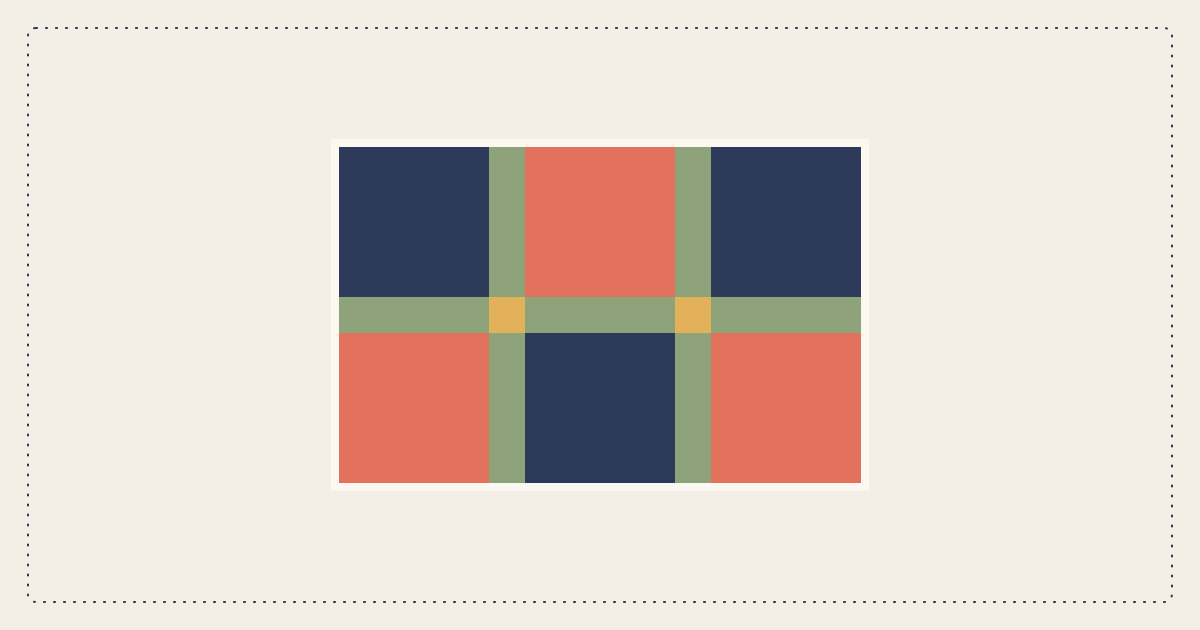
Vertical sashes sit between blocks in each block row. Horizontal sashes sit between block rows, while cornerstones occupy the intersections where the two directions meet. The quilting glossary explains sashing, WOF, yardage and other terms used in these calculations.

Sashing Formulas for a Block Grid With Cornerstones

A row with C blocks has C − 1 internal gaps because no sash is needed after the last block. The same rule applies vertically: R block rows create R − 1 horizontal gaps.

These formulas apply to sashing between blocks only. They support rectangular blocks because BW and BH are calculated separately.

Worked Example: 4 × 5 Blocks With 2-Inch Sashing

Suppose your quilt has four columns and five rows of 12-inch finished blocks. With 2-inch finished sashing between the blocks, the finished width is (4 × 12) + (3 × 2) = 54 inches, and the finished height is (5 × 12) + (4 × 2) = 68 inches.

The vertical count is 5 × 3 = 15 pieces. The horizontal count is 4 × 4 = 16 pieces, and the cornerstone count is 3 × 4 = 12.

With ¼-inch seams, all 31 sash pieces are cut 2½ × 12½ inches. The 12 cornerstones are cut as 2½-inch squares.

Cutting and WOF estimate

Three 12½-inch sash pieces fit across 42 inches of usable WOF, so 31 pieces require 11 strips. Those strips consume 27½ inches before waste or purchase rounding.

If the cornerstones use the sashing fabric, they can usually be cut from the remainders, especially the long remainder on the final WOF strip. Buying ⅞ yard provides 31½ inches of fabric, equal to more than twelve 2½-inch strip widths, but you should still account for squaring, shrinkage and cutting errors. For broader yardage planning, use the quilt fabric calculator.

How to Calculate Sashing Without Cornerstones

The 15 vertical pieces stay block-length pieces because they are still sewn between adjacent blocks. Instead of 16 short horizontal pieces and 12 cornerstones, you make four horizontal sashing rows that span the complete 54-inch finished width.

A 54-inch row is longer than a typical usable WOF, so each row normally needs to be pieced. Join enough 2½-inch-wide pieces to create the required raw length, stagger the joins when practical and trim the completed row to fit the assembled block row.

This construction can make the horizontal sashing look more continuous, while cornerstones provide clear registration points between columns. Neither method changes the 54 × 68-inch finished size when the sashing remains between blocks only.

Outside Sashing, Borders and Final Measurements

Outside sashing adds one sash width to every edge. The formulas become C × BW + (C + 1) × S for width and R × BH + (R + 1) × S for height, so the example grows from 54 × 68 inches to 58 × 72 inches.

With cornerstones, outside sashing also changes the counts. The example requires R × (C + 1) = 25 vertical pieces, C × (R + 1) = 24 horizontal pieces and (C + 1) × (R + 1) = 30 cornerstones.

Treat these as planning measurements rather than guaranteed dimensions of a sewn top. Piecing and pressing can change the result, so measure the completed top through its horizontal and vertical centers before cutting final borders. The quilt border calculator can then calculate border strips from those measured dimensions.

Yardage Assumptions, Waste and Rounding

A yardage result depends on more than the number of pieces. Seam allowance controls the cut size, usable WOF controls how many pieces fit across a strip, and cutting orientation determines how efficiently the pieces nest.

Waste allowances cover fabric lost to straightening, shrinkage, directional prints and mistakes. Rounding upward to an eighth yard makes the result easier to purchase, but a tool that adds no allowance can report less fabric than one using a 15% waste setting.

Make these assumptions visible before comparing answers from two quilt sashing yardage calculators. Quiltler’s documented planning defaults use a ¼-inch seam allowance, 42-inch usable WOF, 15% waste and upward eighth-yard rounding. The cuts versus fabrics guide explains why the way pieces are represented also affects yardage.

How Quiltler Measures Sashing on a Real Quilt Layout

Quiltler measures the quilt you build in its desktop browser studio rather than treating each sash as a normal block. Sashing contributes to the finished canvas size, the grid cells expand by the chosen sashing width and the sashing is measured as continuous strips across the quilt.

Cornerstones are included and appear separately in the shopping list when you assign them a different fabric. Quiltler also totals the fabrics used by the blocks, sashing, cornerstones and borders, then applies seam allowance and the selected calculation assumptions.

You can photograph fabrics from your stash and audition them in the layout before cutting. That lets you judge how a sashing print, color or value separates the blocks instead of making the decision from a numerical result alone.

The same project can produce a shopping list, rotary cutting chart, assembly map and true-scale templates in a pattern pack. Quiltler is free to start in any modern browser, and its iPhone and iPad companion lets you continue the project on a touch device. See the online quilt designer or review the calculation terms in the Studio glossary.

Automatic quilt fabric calculator showing yardage requirements and cutting instructions
Quiltler calculates fabric requirements and cutting instructions from the quilt arranged in the design studio.

When a Standalone Sashing Calculator Is the Better Tool

A standalone calculator is often better when you need one numerical answer and do not want to create or save a visual quilt. Quilter’s Paradise accepts rectangular blocks and outside sashing, while QuiltMetric gives focused results, tests cutting orientations and warns when a no-cornerstone sash must be pieced.

Fabric Math Tools is useful when you want worked examples for square blocks. Absurd Tools is a stronger fit for outside sashing and crosswise-versus-lengthwise border decisions, while Modern Textiles works backward from a desired quilt size and supports different horizontal and vertical sashing widths.

Sashing shows formulas and supports imperial and metric measurements in its current web calculators. Quilt Geek provides phone-based calculations and saved projects, Quilt-a-lator supports on-point layouts and PDF cut charts, and Quiltry provides nine free calculators with up to three saved projects.

Choose one of those tools when its specific calculation matches the job. Choose Quiltler when you want to see the sashing in your actual layout, use photographed stash fabrics, retain the project and carry the same measurements into yardage, cutting and assembly output.

Sashing calculator comparison at a glance

The tools solve different parts of the planning process. Prices below are limited to the access and US App Store figures in the available product information.

Feature Feature Quiltler Quilter’s Paradise QuiltMetric Fabric Math Tools Absurd Tools Modern Textiles Sashing Quilt Geek Quilt-a-lator Quiltry
Price or access Free to start Free web tool Free, no sign-up Public use; no displayed price Free browser tool Free web calculator Free core web tools Free download; sashing needs Premium $4.99 one-time purchase Nine free calculators
Current platform Browser, iPhone and iPad Web Web Web Web Web Web iPhone, Mac, Vision iPhone, iPad, Mac, Vision iPhone, iPad, Mac, Vision
Best use Fabric-filled visual quilt design Rectangular grids and outside sashing Fast optimized cutting result Square-block teaching examples Outside sashing and borders Working backward from quilt size Auditable formulas and saved defaults Mobile quilting calculations Standard and on-point layouts Mobile calculators and inventory
Project or design handling Yes Saved fabric-filled layouts No No saved visual layout No Numerical calculator only No No saved design feature No No saved visual project Proposed layout only Layout designer planned Yes Saved projects Calculator and PDF workflow Yes Three free saved projects
Notable output Complete pattern pack Sashing and yardage result Cuts, counts and yardage Separate sash and cornerstone yardage Border cutting comparison Proposed block layout Visible formulas Cutting instructions PDF cut charts and materials Calculator project results

Sashing lists announced app prices of $1.99 monthly, $14.99 annually or $24.99 lifetime, but its native iPhone and iPad app is still described as coming. Quilt Geek’s US App Store prices are $7.99 monthly, $14.99 for three months or $49.99 annually. Quiltry Pro is $3.99 monthly, $24.99 annually or $34.99 lifetime.

Continue planning your quilt

Quilt sashing calculator FAQ

What size should I cut sashing strips?

Add seam allowance to both sides of the finished sashing width. For a 2-inch finished sash and ¼-inch seams, cut the strip 2½ inches wide. A block-length vertical sash beside a 12-inch finished block is cut 12½ inches long. Always confirm that the block measurement you enter is finished rather than unfinished.

How many sashing strips do I need for a block grid?

With cornerstones and sashing only between blocks, calculate vertical pieces as R × (C − 1) and horizontal pieces as C × (R − 1). Add the two results for the total short sash pieces. Convert that piece count to WOF strips by determining how many cut lengths fit into your usable fabric width, then round the strip count upward.

How do I calculate quilt cornerstones?

For internal sashing, multiply one fewer than the columns by one fewer than the rows: (C − 1) × (R − 1). Cut each cornerstone to S + 2A square. A 4 × 5 grid therefore needs 3 × 4, or 12, cornerstones. Outside sashing changes the formula to (C + 1) × (R + 1).

Does sashing make a quilt larger?

Yes. Internal sashing adds C − 1 sash widths across the quilt and R − 1 sash widths down it. Outside sashing adds two more widths in each direction. Compare the calculated result with a quilt sizes guide if you are planning for a bed, wall or lap quilt.

Why do sashing calculators give different yardage answers?

Tools may use different seam allowances, usable WOF values, cutting orientations, waste percentages and purchase rounding. Some calculate the mathematical minimum, while others add practical fabric for straightening, shrinkage or mistakes. Compare the assumptions rather than only the final yardage, and buy enough for any directional print or required motif placement.

Measure sashing in the quilt you can see

Build the block grid, audition photographed stash fabrics and let Quiltler calculate yardage from the finished layout.

Open the free Quiltler studio

Free to start with no card needed.