Quilt design software exists so you do not discover a math error after the first border is sewn. You set a finished size, tile blocks, try fabric, and let the program count pieces. Quiltler is that category of tool, built as a web studio rather than a boxed installer, with the same projects on iPhone and iPad. This page is the product map. If you only want a tab that opens with no download, use the online quilt designer. If you are choosing among brands, start with what “best” should mean.
On this page
What belongs in this category
People search “quilt design software” when graph paper has run out of patience. The job is not to make a social-media image. The job is to decide block size, how many repeats, whether sashing is 2 inches or 2½, which print goes in the star points, and how many yards of the navy to buy. Software that only recolours a JPEG is a different product, even if it uses the word quilt.
Serious programs share a spine: a block, a layout, fabric fills, and a measurement system that knows seam allowance. Quiltler’s spine is cuts — the actual pieces — so stacking pretty blocks does not silently over-report fabric. That is why the cuts vs fabrics guide exists. If you have ever wondered why a calculator that only knows quilt width lies about a nine-patch, that page is the short version.
What you can design in Quiltler
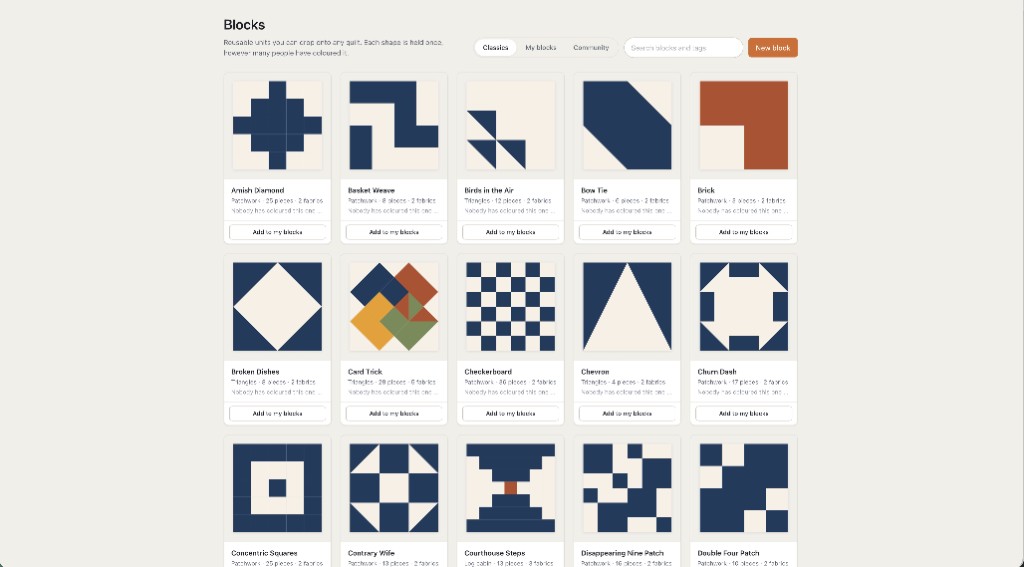
- Blocks. Stamp from a library of classics, or open the block drafter and draw on a grid. Lift part of a quilt back out as a reusable block. The block pattern library is the teaching side of the same idea.
- Cuts and patchwork. Triangles, curves and freeform pieces live in the Cut Designer. Everyday patchwork and odd shapes share the same fabric math. Hexagons and papers are English paper piecing; a picture turned into those pieces is the photo quilt maker.
- Layouts. This is how a block becomes a bed quilt: repeats, half-drop grids, sashing, and borders that change the finished size in front of you. On-point is still a valid quilt; you place and rotate rather than picking a one-click diamond mode. Sizes are in the quilt sizes guide.
- Stash. Photograph cloth, keep notes, amounts and where it lives. Free accounts keep two fabrics; a subscription is the filing cabinet.
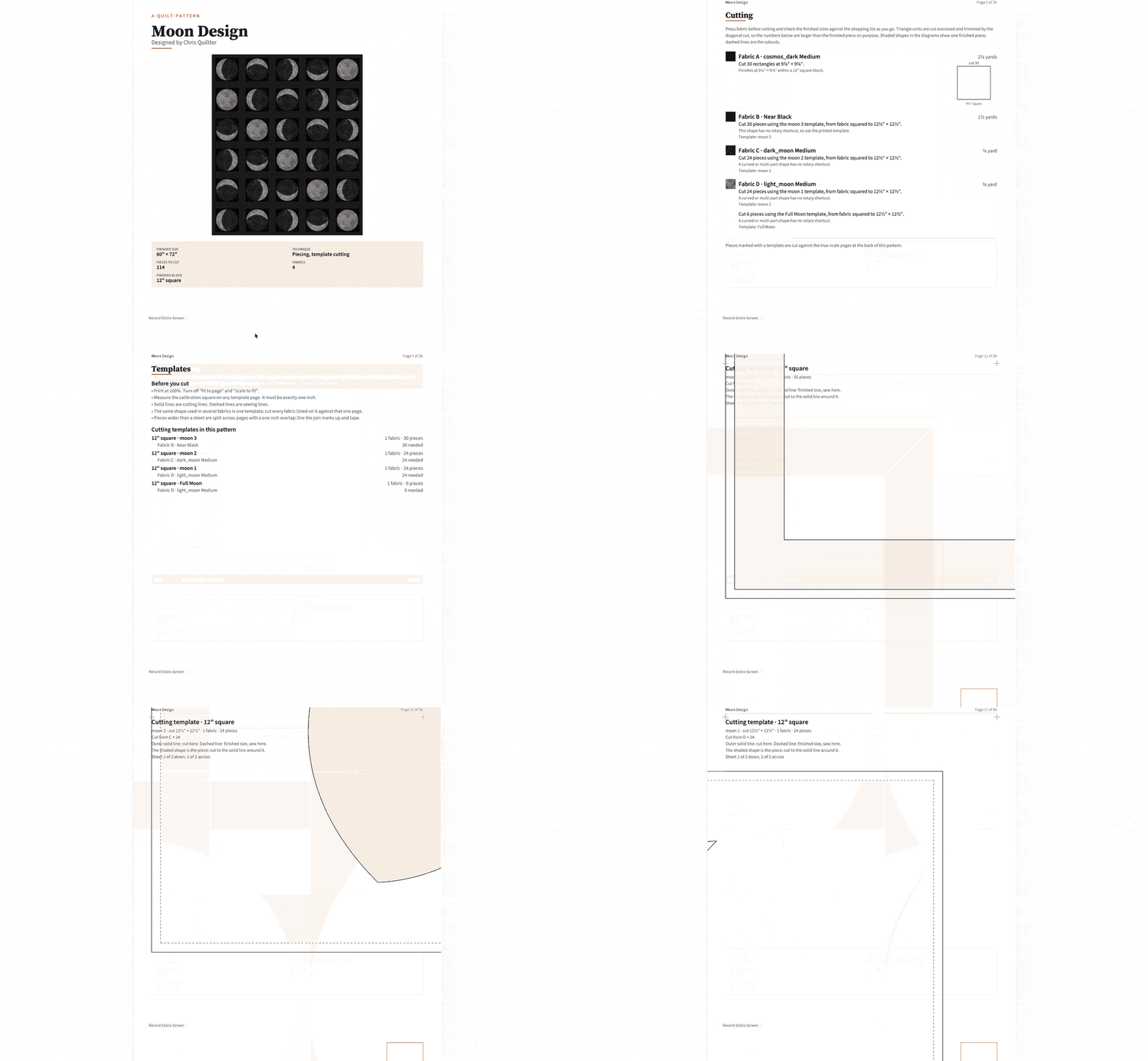
- Output. Finished size and a fabric total are visible while you design. Per-fabric yardage, backing, binding, batting, a cutting chart and true-scale templates are the pattern pack on a subscription. Packs can include mirrored sheets for foundation paper piecing — Quiltler does FPP output, not only a pretty grid. How that pack is written is the quilt pattern maker. There is also a standalone fabric calculator.
- Community and market. Browse the gallery, buy a pattern that opens in the studio, or (Designer plan) sell your own. A purchase is an editable design, not only a PDF. How that market stays honest is on marketplace trust.
How a project actually moves
You do not fill in a wizard and hope. You set size, place blocks, recolour, and the measurements follow. Undo and snapping exist because everyone rotates a flying geese unit the wrong way once. When the top looks right, a subscriber exports a pack: shopping list, rotary sizes, assembly order, templates. Free accounts can still judge the quilt — size and total fabric — and download a picture with a Quiltler credit.
Projects belong to a signed-in account. On Apple devices they also sync with iCloud. Start at a desk in Chrome, continue in the companion app with a finger or Apple Pencil. That is the software shape: one studio, two surfaces, not a “mobile companion” that is a photo album of the real program.
If software pages feel like a spec sheet, use how to design quilts and quilting for beginners. The studio will still be this one.
Browser software vs a desktop install
Electric Quilt 8 is the name most quilters already know: Windows and Mac, large library, a one-time purchase. It is real software and we do not pretend otherwise. It will not open in Chrome on a locked-down work PC. Quiltler will. The trade is library heritage vs a studio that travels. Details live on the Electric Quilt comparison.
Quiltler is not “EQ8 in a tab.” We do not import proprietary EQ8 files. Recreate the layout; keep Quiltler’s pack. For a Chromebook, a school laptop, or a PC with no admin rights, the browser *is* the desk version of the software.
Pricing without fog
The canvas is not a trial countdown. You can design and recolour without a card. Free accounts keep two fabrics and one saved quilt, see finished size and total fabric, browse the gallery and buy patterns, and download an image that carries a Quiltler credit. That is enough to learn whether the software fits. It is not an unlimited stash or a private pattern archive — those are the subscription.
The Quilter plan unlocks unlimited saves and fabrics, per-fabric yardage and cutting charts, pattern packs, community import and publish, custom cuts and blocks saved to your library, watermark-free video, and image credits you control. Designer adds selling on the marketplace at a lower fee (currently $99 a year) and listing stats. Confirm figures at checkout; terms are the legal copy.
Who it is for
Hobby quilters who want a plan before they cut. People who sell patterns and need a buyer to recolour in their own cloth. Fabric companies who embed the designer — that program is separate, at fabric companies. It is a poor fit if you need to open existing EQ8 project files, or if you only wanted a pixel toy with no intention of sewing.
New to the craft itself? Pair this software with quilting for beginners and the block pattern library. The software will not teach you a quarter-inch seam; it will keep you from buying three yards of the wrong print.
Around the studio
Online quilt designer
The no-install session: open a tab and design.
Best quilt designer
How to judge a designer without a fake ranking.
Electric Quilt alternative
Where a desktop install still wins, and where it does not.
Quilt fabric calculator
Yardage without opening a saved design.
Why Quiltler is different
Modern software, real fabric, and a developer you can actually reach.