“Quilt designer online” usually means one of two things: a toy that recolours a picture, or software you were supposed to install last year. Quiltler is a third option. You go to the studio, sign in when you want to keep work, and design on the same canvas we ship to phones. This page is the session: what happens in the tab, what still needs the network, and how saving works. For the full feature map see quilt design software. For choosing among brands, see best quilt designer.
On this page
A session in the tab
Yardage on screen is not a separate calculator you paste numbers into; it is the layout talking.
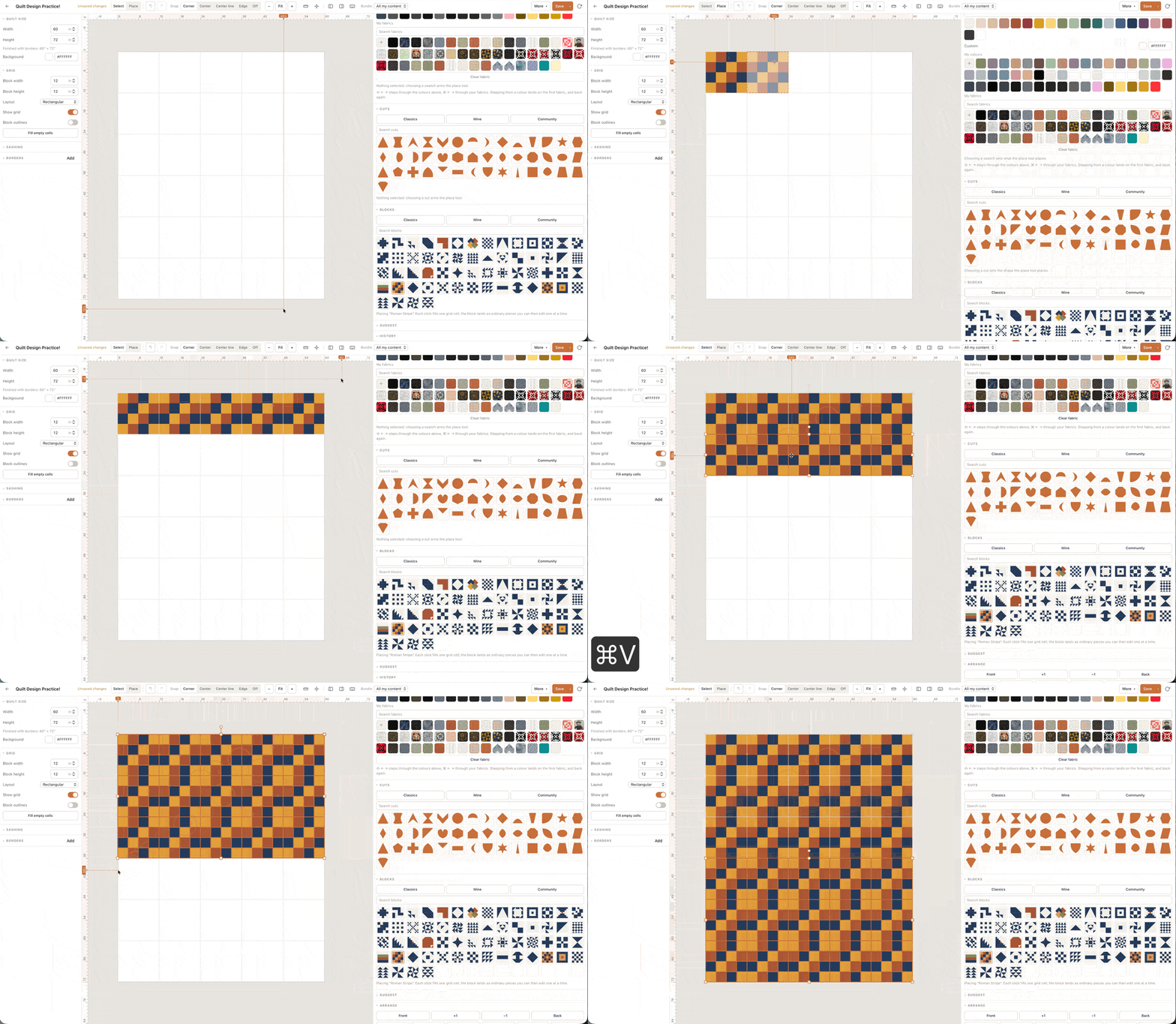
- Size and grid Wall, baby, throw, bed — or type the inches. Straight set or half-drop. The layout is the quilt, not a later step. Compare sizes in the quilt sizes guide.
- Blocks and fabric Stamp a library block, draft one on a grid, or build patchwork from cuts. Photograph a background and a focus print, and fill the rest with solid colours. Teaching blocks live in the block pattern library.
- Judge, then keep Read finished size and the fabric total. Save one quilt on free. Export a pattern pack — including foundation paper piecing templates when you need them — when you subscribe.
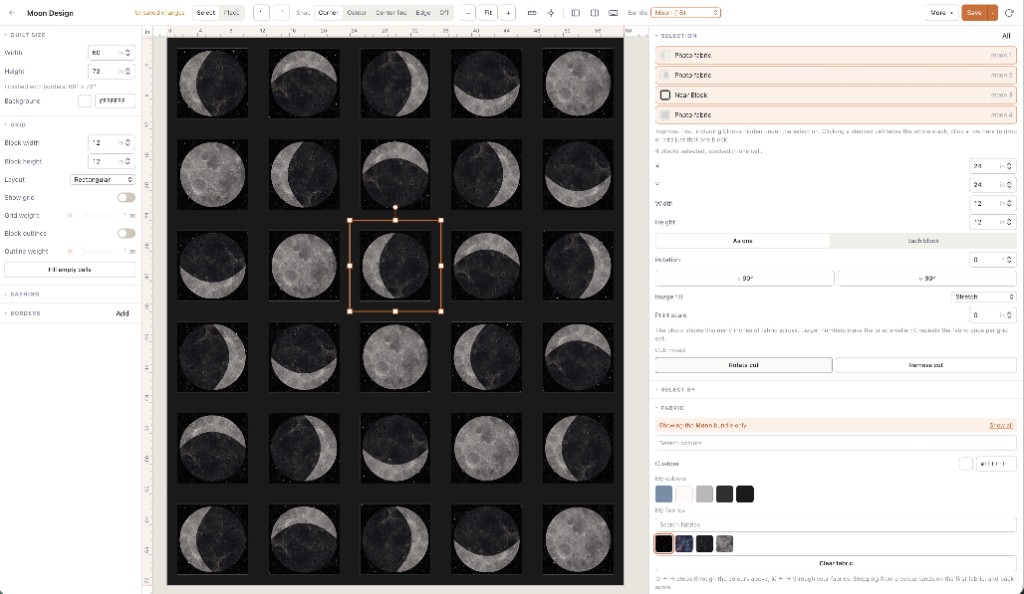
Open the studio. You can begin designing before you decide whether to create an account. Saving a quilt is what needs the account.
What “online” is not
It is not a marketing slice of the iPad app. Custom cuts, the block drafter, the marketplace, community browsing and fabric photos all run here. Purchased patterns open on this canvas so you can swap in stash prints before you cut. If you later sell, you list from the same studio on the Designer plan.
It is also not “unlimited everything because it is a website.” Designing is free. Keeping a library is the paid product. Two fabrics, one saved quilt, picture downloads with a Quiltler credit: that is the free line. Anyone advertising an online designer with no limits and no catch is either a toy or not done telling you the catch.
Accounts, saving and the free line
Work you have not saved is a tab. Close it and it is gone. Sign in to keep the one free quilt and the two fabrics. Solid colours stay unlimited, so the layout can be designed before the photo stash grows. A second saved design, a fuller stash, cutting charts and templates: a paid plan. Confirm prices at checkout and in the terms.
You can still buy a pattern on free and open it. Selling your own listings is Designer. Browse-only use of the gallery does not require a subscription.
When to add the iOS apps
Stay in the browser if you like a mouse and a large monitor. Add the companion apps when you want Apple Pencil, a fabric photo in the shop aisle, or the same quilt on the sofa. The apps are free to download and use the same free allowance. A subscription is what syncs an unlimited library across web and Apple devices. iPad-specific habits are on quilting on iPad.
Honest limits of a browser studio
You need the network to load the app and to sync. We do not ship an offline Windows installer. If your only machine is air-gapped, look at a traditional desktop program; our Electric Quilt comparison says when EQ8 is still the right hammer.
A phone browser can open the studio; the native iPhone app is the better touch surface. Very old browsers will struggle. Use a current Chrome, Safari, Firefox or Edge. School filters that block accounts will block saving; the canvas may still run.
Beginners who want a slower on-ramp can ignore this page’s urgency and read how to design quilts first, then come back and open the tab.
Start without a download
Open the designer. If you already know you care about “best,” read best quilt designer after you have placed one block — criteria land better once you have touched the canvas. New to piecing entirely? How to design quilts and the block library sit beside the studio, not inside a paywall.