Free quilt design software on Quiltler means you can arrange a real layout and recolour it before you pay. There is no trial clock on the canvas. The designer guide is the operating manual. When that saved quilt should become a sewing plan, continue on the quilt pattern maker. A sum that is not part of a saved design stays on the free quilting calculators. Public calculator pages stay free.
On this page
What the free account includes
- The canvas. Any quilt size you set, library blocks, cuts, sashing and borders. Size, grid, sashing and border fields are part of designing. On a free account the size pills say Demo.
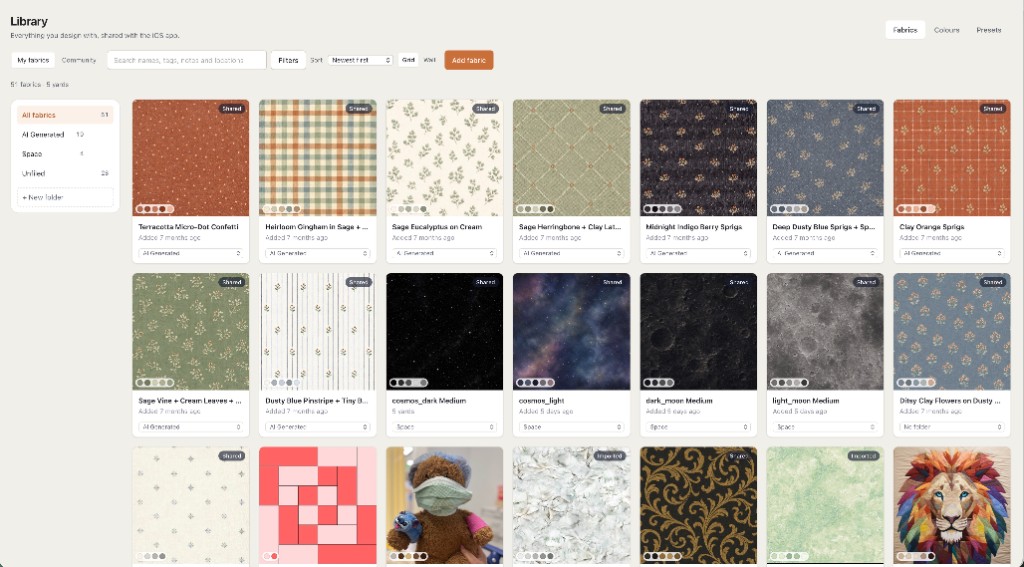
- Ten fabric photos, including a background and a focus print, plus unlimited solid colours. An eleventh photo is the paywall. Ten is enough to try cloth you own. It is not a searchable stash of a season’s shopping.
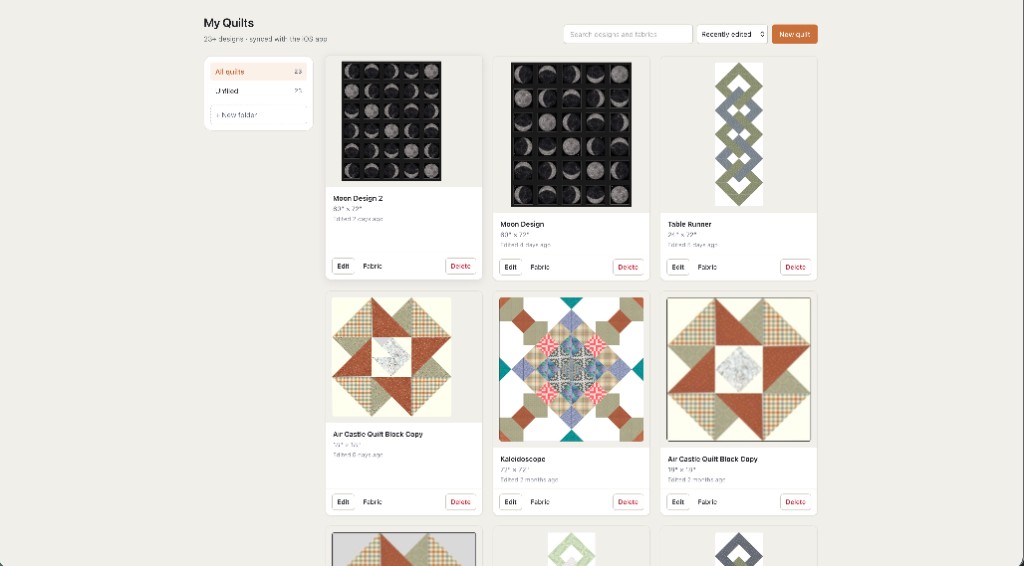
- One saved quilt. You can try layouts in the tab. Closing an unsaved tab loses that work. Re-saving the quilt you already keep is allowed. Save as variation and Save as duplicate each create another saved quilt and use the allowance.
- A picture of the design with a Quiltler credit. Gallery browsing, and buying a pattern someone else listed, stay available. A Quiltler-designed listing opens in the studio. A designer’s PDF is that file, not an editable Quiltler project.
A first quilt with two photos
Two fabric photos are a starting pair, not the limit. The free account holds ten. These steps use the current browser designer.
- Open the designer and sign in Open the studio. You can look around before you sign in. Adding a fabric photo uses the signed-in stash, so sign in first. The designer guide has the address for a new quilt and every tool if a label here is not enough.
- Add two fabric photos Open Fabrics on the right. Choose Add a new fabric. The dialog title is Add a fabric. Choose Choose photos, pick two pictures of cloth, and name each one. The button then reads Add 2 fabrics. Those swatches show up in the palette. How large a motif looks is the crop, plus Stretch or Tile — see fabric print scale.
- Change the selected pieces Press V for Select. Click the pieces you want to change. Then click one of the two fabric photos. The palette header must say Picks apply to followed by the selection, such as “Picks apply to 1 block.” Quiltler calls each patch a block in that header. If the header says nothing is selected and a pick loads the Place brush, the quilt stays as it is until you click the canvas. Undo is Command-Z or Ctrl+Z.
- Save this same quilt Press Save, or Command-S. Name it if asked. Saving again updates this quilt and does not spend a second free save. Do not use Save as variation or Save as duplicate unless you mean to keep another design — each of those is its own quilt. The pattern maker is the next page when you want the sewing plan.
Where free stops
Drawing the quilt is free. Designer measurements, fabric calculations, cutting instructions and downloads require paid access. Standalone public calculator pages stay free.
| Feature | Free visual design | One saved layout | Quilter |
|---|---|---|---|
| Price | $0 | $4.99 once | $7.99 a month or $49.99 a year |
| Saved quilts | One saved quilt | One saved quilt | Unlimited while subscribed |
| Fabric photos | Up to ten fabric photos | Up to ten fabric photos | Unlimited while subscribed |
| Measurements and downloads | Not included | This saved layout | Included while subscribed |
| Public calculators | Stay free | Stay free | Stay free |
Checkout shows the price before you pay. Public calculator pages stay free. The sewing plan for a saved quilt is the quilt pattern maker.
Layout unlock details
- Unlock this layout — $4.99 is once, for that saved layout. It includes exact piece measurements, fabric-by-fabric yardage, cutting instructions and the pattern-pack download, including true-scale templates and foundation paper piecing sheets when the block needs them. Save before you pay, so the unlock belongs to the design.
- You can change its fabrics and colours, and resize the whole quilt proportionally. The version you bought stays downloadable.
- A different block arrangement, cut shape or border structure is a new layout. A copy needs its own unlock.
- After a one-time unlock, unsaved edits hide the measurements. Save your changes to update the measurements. A Quilter subscription keeps the measurements visible while you edit.
- The $4.99 unlock is not a pass for every future design. Quilter is not required if this one layout is all you want. Quilter also keeps more than one quilt and more than ten fabric photos.
The free line is one saved quilt and ten fabric photos, not a countdown. If a page promises unlimited printable packs with no payment, it is describing a different tool.
Who the free account is enough for
Someone planning one quilt, with a handful of photographed prints, who wants to see the layout before buying fabric. It is also enough to learn the canvas in a school browser. It is not enough if you need a cutting chart before you shop, a year of saved layouts, or more than ten fabric photos. That is the paid step, and it is the same step on the iPhone and iPad apps because they share the account.
New to the craft, rather than to the software? Read how to design quilts and quilting for beginners beside the studio. Choosing among tools is best quilt designer. Comparing Quiltler with a desktop program is a separate page, the Electric Quilt comparison, and it does not change the free allowance.
Same studio, other questions
Quilt pattern maker
The sewing plan after you save: measurements, cutting and the pack.
Quilting calculators
Free standalone sums. They do not use the designer’s paywall.
Online quilt designer
A no-download session, if the question is the browser rather than the price.
Designer guide
Select, Place, Save, and what a one-time unlock does after you edit.