This EQ8 vs Quiltler comparison focuses on the work you need to accomplish, not which product has the longest feature list. You will see what each tool costs, where you can use it, what it produces and when EQ8’s professional depth is worth paying for.
What this comparison covers
- What this comparison covers
- EQ8 vs Quiltler: The Honest Verdict
- Quiltler vs EQ8 at a glance
- Price Comparison: What Do You Pay Now and Over Time?
- What Most Quilters Actually Need From Design Software
- Quiltler strengths and tradeoffs
- Where Quiltler Makes Everyday Quilt Planning Easier
- EQ8 strengths and tradeoffs
- Where EQ8 Justifies Its Professional Price
- Devices and Workflow: Desktop Power or Design Anywhere?
- Outputs, Yardage and the Limits of Automation
- Which One Should You Choose?
- Continue comparing and planning
EQ8 vs Quiltler: The Honest Verdict
Choose Quiltler if you mainly want to arrange quilt layouts, audition fabrics from your stash, create custom cuts, calculate yardage and obtain cutting information. It starts free, works in a modern browser and offers native Apple apps, making it easier to plan a quilt without committing to desktop professional software.
Choose EQ8 if original pattern drafting is a substantial part of your work. Its 6,700-plus blocks, approximately 6,200 fabrics, detailed drafting controls, appliqué presets, quilting layers, foundation patterns and high-resolution exports can support a serious pattern-design or publishing workflow.
The distinction is everyday planning versus professional production. EQ8 has more specialized tools, but those tools provide value only when you use them regularly. For most people designing quilts for themselves, Quiltler covers the central workflow with less cost and friction.
Quiltler vs EQ8 at a glance
The practical differences involve commitment, devices and the depth of the finished output.
| Feature | Quiltler 3 | EQ8 |
|---|---|---|
| Price | Free; $9.99 monthly | $239.95 one time |
| Annual option | $29.99 yearly | One-time license |
| Free entry | Yes 3 quilts, 5 fabrics | Video demo |
| Platforms | Browser; Apple native apps | Windows or macOS |
| iPad design | Yes Touch and Apple Pencil | No Not supported |
| Browser access | Yes Any modern browser | No Installed desktop software |
| Personal stash | Yes Photograph and audition | Imported fabric correction |
| Included libraries | Built-in and community cuts | 6,700+ blocks; 6,200 fabrics |
| Custom drafting | Yes Cut Designer | Yes Detailed block drafting |
| Yardage | Yes Automatic calculation | Yes Yardage calculation |
| Cutting output | Yes PDF cutting summary | Yes Rotary-cutting charts |
| Templates | Yes True-scale pattern templates | Yes Templates and foundations |
| Publishing images | Design and pattern output | Yes High-resolution exports |
| Project continuity | Yes Account and iCloud sync | Two license activations |
| Offline desktop use | Connected studio workflow | Yes Periodic validation required |
Quiltler prices shown are current US App Store options. EQ8 requires a $24.95 Migration Kit if you need both its Windows and Mac editions.
Price Comparison: What Do You Pay Now and Over Time?
Quiltler lets you begin with up to three quilts and five fabrics at no charge. Premium is listed at $9.99 monthly or $29.99 yearly in the US App Store. The annual option costs $209.96 less than EQ8 during the first year.
Five annual Quiltler payments total $149.95. Eight total $239.92, which is three cents below EQ8’s $239.95 initial purchase. A ninth annual payment takes Quiltler above that purchase price, although this simple comparison does not assign a value to EQ8’s advanced features or Quiltler’s connected services.
Monthly Quiltler payments reach $239.76 after 24 months and exceed EQ8 with the twenty-fifth payment. The monthly option therefore makes more sense for short-term flexibility than long-term value. EQ8 owners receive updates for the purchased EQ8 version, while using its Windows and Mac editions requires the additional $24.95 Migration Kit.
EQ8 does not offer a generally downloadable public demo in the supplied research; its official public demonstration is a video. At least one independent instructor provides a special 14-day trial to class students. Quiltler’s free tier gives you a more direct way to test the actual design workflow before paying.
What Most Quilters Actually Need From Design Software
Most personal projects begin with a manageable set of questions: How should the blocks be arranged, which fabrics work together, how large should the quilt be and how much material is needed? After making those decisions, you need cutting information you can carry to the worktable.
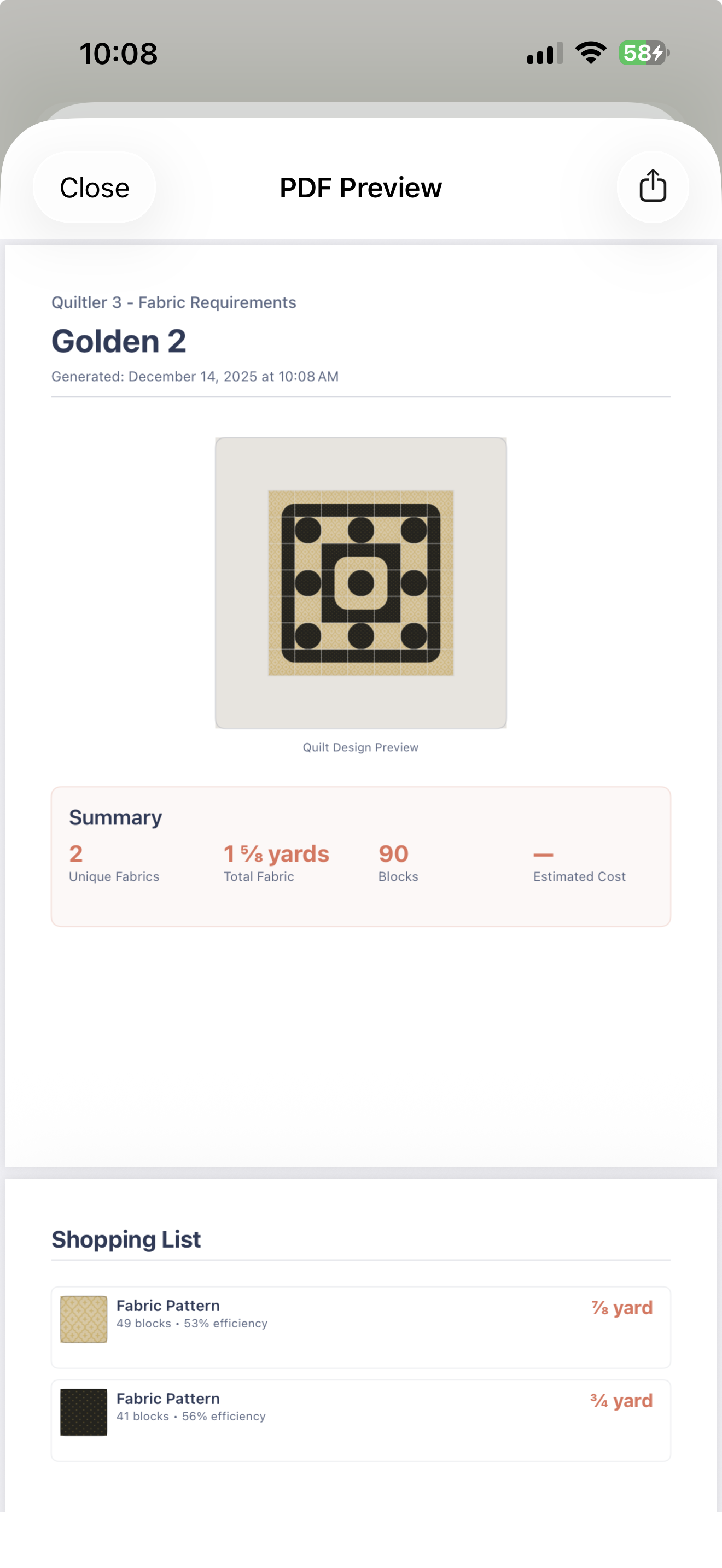
Quiltler addresses that sequence directly. You can build a layout, photograph and audition your own fabric, adjust the design, calculate fabric and yardage, and export a cutting summary as a PDF. If you are still working through the fundamentals, the beginner’s quilt design guide explains how block selection, scale and fabric choices fit together.
A larger library is valuable when you need rapid access to thousands of established blocks and digital fabrics. It is not automatically better value if you repeatedly use a small group of blocks or primarily want to see what can be made from fabric already on your shelf. The free quilt block library can also help you explore traditional and modern starting points without choosing software based on library size alone.
Quiltler strengths and tradeoffs
What works about Quiltler 3
- Free tier for testing real projects
- Browser access across modern devices
- Native iPhone, iPad and Apple Silicon Mac apps
- Finger and Apple Pencil controls on iPad
- Photographed stash fabrics in layouts
- Custom shapes through Cut Designer
- Automatic yardage and PDF cutting summary
- Synced projects, community and editable marketplace patterns
Where it falls short
- Free tier is limited to three quilts and five fabrics
- Premium creates an ongoing cost
- No confirmed equivalent to EQ8’s enormous included libraries
- No confirmed equivalent to every specialized EQ8 drafting category
Where Quiltler Makes Everyday Quilt Planning Easier
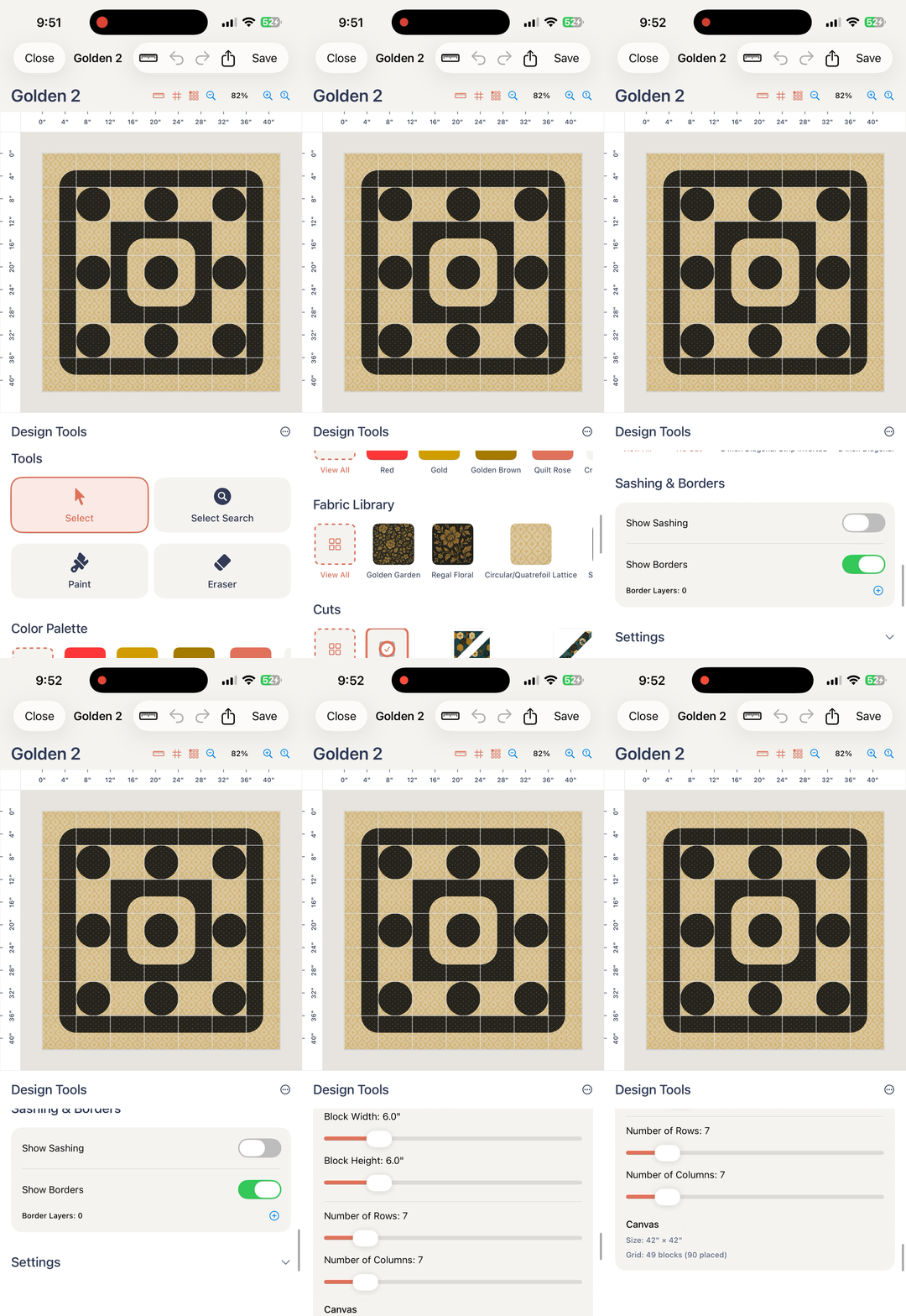
Quiltler’s main advantage is that the design can stay with you. Start in a Windows, Mac, Chromebook or Android browser, continue on an iPad at the cutting table, and check a project on an iPhone while shopping. Signed-in projects sync across your account, while Apple devices can also use iCloud.
The touch-first canvas supports a finger or Apple Pencil, so you can manipulate a layout directly rather than adapting a mouse-based desktop workflow to a tablet. The native mobile app requires iOS or iPadOS 18.5 or later. The iPad quilting app guide examines this workflow in more detail.
The fabric library is built around your actual stash. Photograph what you own, place those fabrics into a design and compare options before cutting. When print scale matters, follow the fabric print scale guide so the digital motif better represents its real-world size.
Cut Designer lets you move beyond the built-in library by creating custom shapes and blocks. You can also share designs and custom cuts through the community, browse the quilt design gallery, or buy a marketplace pattern that opens in the studio for recoloring, resizing and re-fabricing.
EQ8 strengths and tradeoffs
What works about Electric Quilt 8
- More than 6,700 included quilt blocks
- Approximately 6,200 included fabrics
- Detailed block and custom layout drafting
- Specialized appliqué presets
- Quilting motif and stencil layers
- Rotary-cutting charts and foundation patterns
- High-resolution publishing exports
- Offline work after installation and activation
Where it falls short
- $239.95 upfront purchase
- Separate $24.95 Windows-Mac Migration Kit
- No supported iPad, iPhone, Android or Chromebook version
- Public demo is a video rather than downloadable software
- Users report a substantial learning curve
- Periodic connection required for license validation
Where EQ8 Justifies Its Professional Price
EQ8 becomes the stronger investment when drafting is more than a supporting step. Detailed block tools, custom layouts and borders, appliqué presets, fabric-image correction, quilting motif layers and stencil layers give a professional designer more control over specialized work.
Its included libraries are also a genuine advantage. Access to more than 6,700 blocks and approximately 6,200 fabrics can reduce setup time when you regularly explore many established designs. Templates, foundation patterns and rotary-cutting charts extend the work beyond a screen mockup.
High-resolution image exports are especially relevant to magazine submissions and other publishing workflows. Professional pattern designers report using EQ8 daily, which is the kind of usage that can justify both the purchase price and the time needed to learn it.
If you plan to sell original patterns seriously, build a large catalog or prepare images for publication, EQ8 may fit better than Quiltler. Its value comes from repeated use of its specialized controls, not simply from owning the software regarded as the more established professional option.
Devices and Workflow: Desktop Power or Design Anywhere?
EQ8 runs on supported Windows and macOS computers. It does not support Chromebook, iPadOS, Android, iOS, Linux, Windows S mode or Windows-on-ARM computers. Its single-user license permits two simultaneous activations, but moving between Windows and Mac editions requires the Migration Kit.
After installation and activation, EQ8 can work without a continuous internet connection, though it must reconnect periodically for license validation. That makes it a reasonable choice for an offline studio built around a compatible desktop or laptop.
Quiltler’s browser studio runs in any modern browser, and its native app supports iPhone, iPad, Apple Silicon Mac and Apple Vision Pro. Choose it when you want to move between devices, work beside your stash or draw with an Apple Pencil. For a wider platform comparison, see the quilt design app comparison.
Outputs, Yardage and the Limits of Automation
Both products can move you from a visual design toward cutting. Quiltler calculates fabric and yardage automatically and exports a PDF cutting summary. Its pattern packs include a shopping list, rotary-size cutting chart, assembly map and true-scale templates.
EQ8 can produce rotary-cutting charts, templates and foundation patterns. It also exports images at multiple resolutions, including high-resolution output intended for publishing workflows. Those capabilities make EQ8 stronger when the design must feed into professional documentation or presentation.
Neither a yardage total nor a list of pieces necessarily identifies the most efficient construction method. EQ8 users specifically report that its logic does not automatically account for every method, including strip piecing, and that it does not determine the best sewing method for every block. With Quiltler, the distinction between reusable cuts and stacked full blocks can also change calculated yardage, as explained in why yardage can look too high.
Treat calculated yardage and cutting output as planning information. Review seam allowances, fabric direction, cutting efficiency and your intended construction method before cutting valuable fabric.
Which One Should You Choose?
- Recreational quilter: Choose Quiltler. It covers layout design, stash auditioning, custom cuts, yardage and cutting summaries without requiring a large upfront purchase.
- Stash-focused planner: Choose Quiltler. Photographing real fabric and placing it directly into a design is more relevant than browsing thousands of digital swatches.
- iPad or Apple Pencil user: Choose Quiltler. EQ8 does not support iPadOS, while Quiltler provides a touch-first canvas and Apple Pencil interaction.
- Chromebook or Android user: Choose Quiltler in a modern browser. These platforms are not supported by EQ8.
- Subscription-averse buyer: Consider EQ8 if you have a compatible computer, expect to use the same purchased version for years and will benefit from its deeper tools. Quiltler’s annual plan remains less expensive through eight payments, but it is recurring.
- Offline studio: Choose EQ8 if periodic license validation is workable. It can operate without a continuous internet connection after installation and activation.
- Aspiring pattern seller: Start with Quiltler if you need to develop designs, prepare pattern packs and test selling through the pattern marketplace. Move toward EQ8 if specialized drafting or publishing output becomes central to the business.
- Established professional designer: Choose EQ8 when you need its large libraries, appliqué controls, foundation patterns, quilting layers and high-resolution exports in daily work.
- Most other quilters: Start with Quiltler. The free tier lets you confirm that its practical workflow meets your needs before you spend money.
Continue comparing and planning
The Best EQ8 Alternative for Apple Devices
Compare EQ8 with a touch-first studio built for iPad, iPhone and Mac.
Best Quilt Design Apps
Compare leading quilt design tools by platform, price and planning features.
Free Quilt Fabric Calculator
Estimate fabric requirements and understand the measurements behind your project.