If you are comparing Quiltler vs PatternJam, the key tradeoff is straightforward. PatternJam gives free users more saved quilts and useful public pattern PDFs, while Quiltler offers a broader workflow for original design, mobile access, construction documents, and pattern selling.
In this comparison
- In this comparison
- Quiltler vs PatternJam at a Glance
- Quiltler Review: Strengths and Tradeoffs
- PatternJam Review: Strengths and Tradeoffs
- Free Plans, Paid Features, and Saved-Project Limits
- Computer, Tablet, and Phone Support
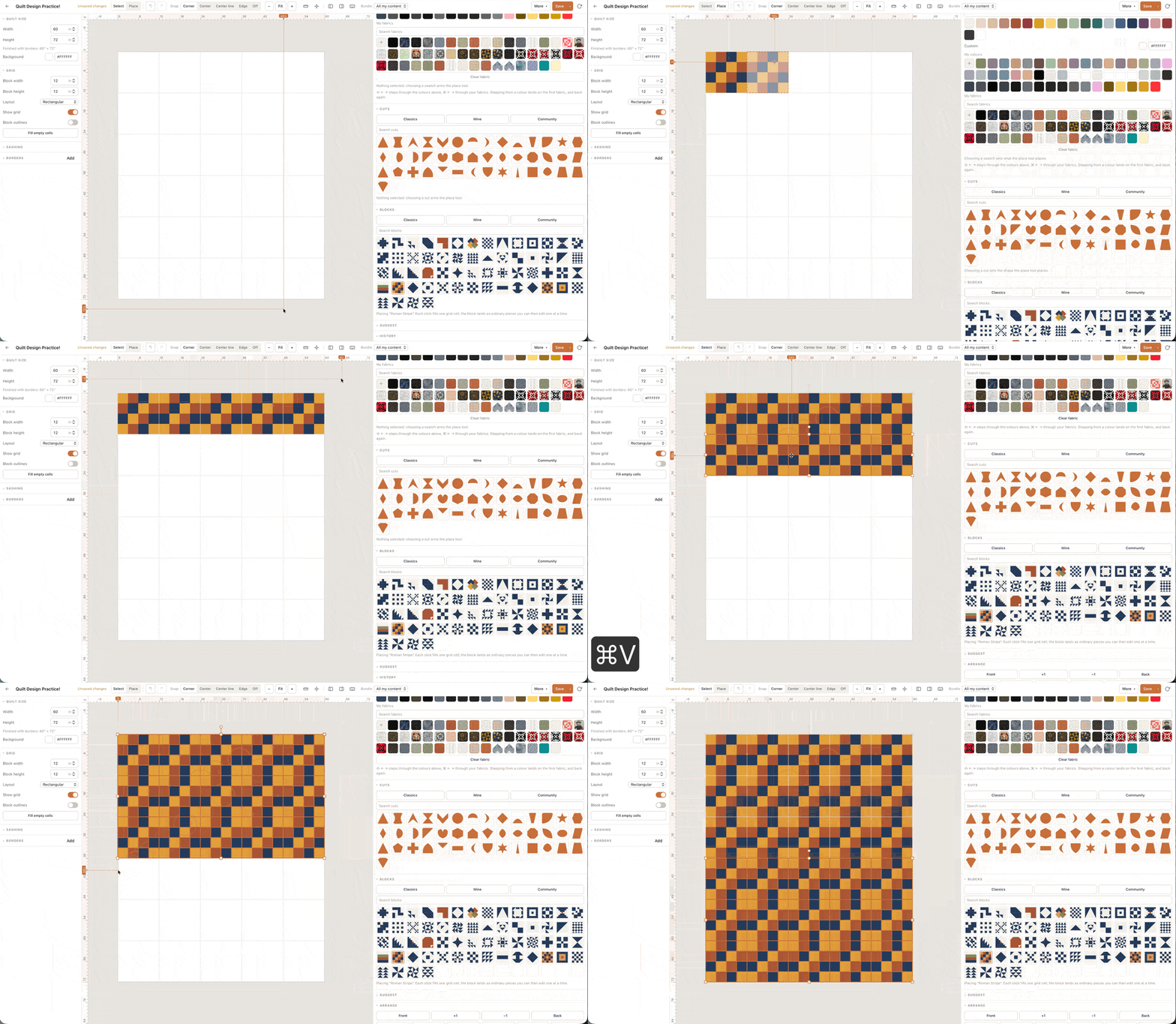
- Blocks, Original Shapes, and Fabric Auditioning
- Yardage, Cutting Information, and Pattern PDFs
- Saving, Sharing, Remixing, and Selling Designs
- Which Designer Fits Your Quilting Workflow?
- What to Verify Before Paying
- Related quilt design resources
Quiltler vs PatternJam at a Glance
PatternJam is the stronger free choice when you want to create many block-based experiments on a computer or tablet. Its free account includes the Quilt Designer, basic blocks and fabrics, and storage for up to 50 quilts.
Quiltler is the better overall choice when you want to create custom shapes, maintain a reusable fabric library, work from a phone or iPad, and carry a project from an initial layout to cutting information or a sellable pattern. You can use the main online quilt designer in a modern browser without entering a card.
| Feature | Quiltler | PatternJam |
|---|---|---|
| Base access | Free to start | Free browser service |
| Paid option | Apple monthly or yearly | Essentials membership |
| Free saved quilts | One quilt | Up to 50 quilts |
| Devices | Browser, iPhone, iPad | Tablet, laptop, desktop |
| Phone designing | Yes Yes | No No |
| Personal fabric uploads | Yes Yes | Yes Yes |
| Original design tools | Custom shapes and blocks | Basic blocks on free tier |
| Calculations | Automatic fabric and yardage | Public PDF yardage estimates |
| Pattern output | Summaries and pattern packs | Public downloadable pattern PDFs |
| Pattern selling | Subscription marketplace workflow | Public sharing |
Quiltler’s US App Store lists optional subscriptions at $7.99 monthly and $49.99 yearly. Those are confirmed Apple in-app prices, not confirmed browser checkout prices. PatternJam promotes Essentials but does not display its amount or billing schedule publicly before sign-in.
Quiltler Review: Strengths and Tradeoffs
What works about Quiltler
- Main studio works in modern browsers on Windows, Mac, and Chromebook
- Touch-first companion app for iPhone and iPad
- Unlimited fabric library and designing on the free tier
- Cut Designer creates custom shapes and blocks
- Automatic yardage with a PDF cutting summary
- Subscription pattern packs include shopping, cutting, assembly, and templates
- Publishing and marketplace tools support pattern sellers
- Rated 4.8 stars by quilters on the App Store
Where it falls short
- The free tier saves only the first quilt
- Printable pattern packs and cutting templates require a subscription
- Community importing, publishing, and selling require a subscription
- The native companion app is limited to Apple platforms
PatternJam Review: Strengths and Tradeoffs
What works about PatternJam
- Free account saves up to 50 quilts
- Basic blocks and fabrics are included free
- Manufacturer fabrics are available for auditioning
- You can upload photographs of stash fabrics
- Public designs can be browsed without registration
- Public pattern pages can offer detailed PDF downloads
Where it falls short
- Registration is required to use the Quilt Designer
- Designing and pattern downloads do not work on smartphones
- Free access is limited to basic blocks and fabrics
- Essentials pricing and billing schedule are not public
- The official help video is described as somewhat out of date
Free Plans, Paid Features, and Saved-Project Limits
PatternJam has the clear advantage for free multi-project experimentation. After registering, you can use its designer and save up to 50 quilts with basic block and fabric access. That makes it a practical choice if you regularly compare many conventional layouts and do not want to subscribe.
Quiltler lets you design and recolor without a stated design limit, build an unlimited fabric library, view required yardage, browse the community and marketplace, and save your first quilt for free. A subscription removes the saved-design limit and adds printable pattern packs, cutting templates, community imports, publishing, and selling.
The difference is less about which free tier has more tools in total and more about where each limit falls. PatternJam limits free block and fabric access but permits many saved quilts. Quiltler supplies broader fabric and original-design tools, but its one-quilt saving limit is restrictive if you keep several drafts at once.
Computer, Tablet, and Phone Support
PatternJam confirms that its designer works on tablets, laptops, and desktop computers. Smartphone visitors can browse public designs, but they cannot use the Quilt Designer or download patterns from a phone.
Quiltler’s desktop studio runs in a modern browser on Windows, Mac, and Chromebook. Its companion quilt design app runs on iPhone and iPad and requires iOS or iPadOS 18.5 or later. It also runs on Apple Silicon Macs and Apple Vision Pro.
The browser studio remains Quiltler’s main design workspace. The companion is touch-first, supports a finger or Apple Pencil on iPad, and lets signed-in projects move between devices. If phone-based editing matters, Quiltler is the direct choice; PatternJam is better treated as a larger-screen tool.
Blocks, Original Shapes, and Fabric Auditioning
Both designers let you audition fabric rather than relying only on flat colors. PatternJam supplies manufacturer fabrics and permits photographs from your own stash. Its free account includes basic fabric and block access, which supports quick experimentation with familiar quilt structures.
Quiltler also lets you photograph real fabric and apply it to a layout. Its free tier includes an unlimited reusable fabric library, so uploaded fabrics can remain organized for later projects. The fabric print scale guide explains how motif size affects an on-screen fabric preview.
The larger distinction is original construction. Quiltler’s Cut Designer creates shapes and blocks beyond its built-in quilt block library. Current PatternJam materials confirm basic and premium block access, but they do not establish an equivalent custom-shape drafting tool.
Choose PatternJam when your main goal is combining blocks and fabrics quickly. Choose Quiltler when the geometry itself is part of your design and you need custom curves, triangles, or other drafted pieces that can feed into later calculations.
Yardage, Cutting Information, and Pattern PDFs
PatternJam’s public pattern output is more useful than a simple design image. The inspected public PDF states the finished dimensions and blocks used, then provides piece quantities, rotary-cut dimensions, fabric strip calculations, and total yardage. It also includes sashing, border, backing, and binding estimates.
That gives PatternJam a genuine advantage for free access to printable information. Visitors can browse shared public patterns without registering, and public pattern pages can provide downloadable PDFs. This is especially useful when an existing public design already fits your project.
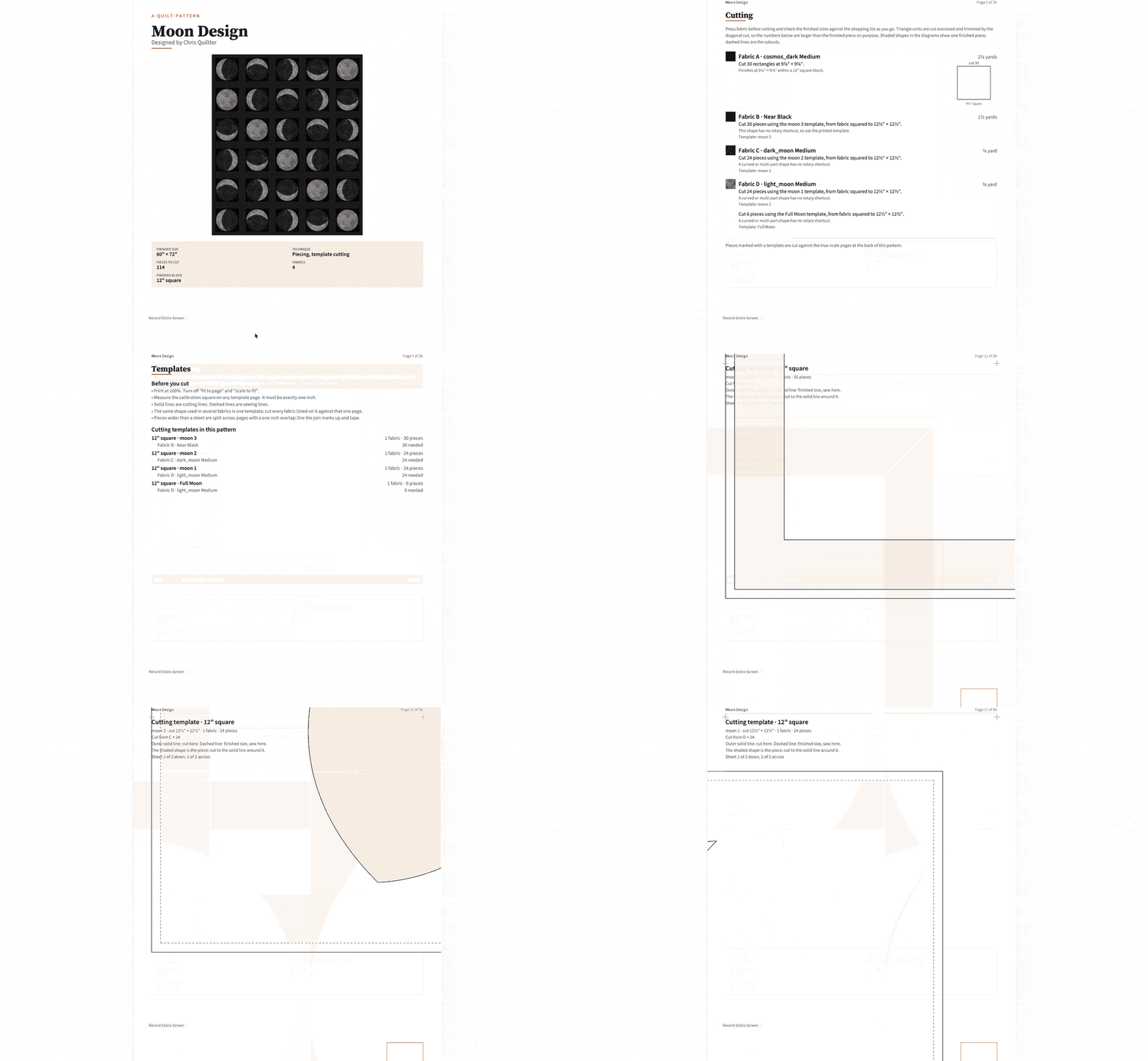
Quiltler calculates fabric and yardage automatically as you design and exports a PDF cutting summary. A subscription adds a fuller pattern pack containing a shopping list, rotary-size cutting chart, assembly map, and true-scale templates. The cuts and fabrics guide explains why properly defined pieces matter to yardage accuracy.
Quiltler also provides separate free tools when you need a focused calculation rather than a complete design. These include the quilt fabric calculator, plus calculators for binding, backing, batting, half-square triangles, and fat quarters.
Saving, Sharing, Remixing, and Selling Designs
PatternJam supports public sharing, and anyone can browse shared public patterns without registering. Its terms characterize PatternJam content as licensed for personal use, so review the applicable terms before treating site content as material for a commercial pattern.
Quiltler’s community feed supports shared designs and custom cuts, along with creator spotlights. Subscribers can import community work, publish designs, and sell patterns through the pattern marketplace. Projects sync through a signed-in account, while Apple devices can also use iCloud.
A purchased Quiltler pattern opens inside the studio instead of remaining only a fixed document. The buyer can recolor it, resize it, and replace its fabrics before making the quilt. This editable delivery model gives Quiltler a stronger workflow for independent designers who want to publish and sell adaptable patterns.
Which Designer Fits Your Quilting Workflow?
- Choose PatternJam for free experimentation when basic blocks, basic fabrics, and a larger saved-project allowance cover your needs.
- Choose PatternJam when you want to keep up to 50 free quilt layouts on a tablet, laptop, or desktop.
- Choose PatternJam when a shared public design already suits your project and its downloadable PDF provides the information you need.
- Choose Quiltler for phone or iPad designing, especially when Apple Pencil input is useful.
- Choose Quiltler when you need custom shapes and blocks rather than only selecting and recoloring available blocks.
- Choose Quiltler for a continuous workflow from fabric auditioning through automatic yardage, cutting summaries, and subscription pattern packs.
- Choose Quiltler when you plan to publish or sell editable patterns through a marketplace.
- Start with the beginner’s quilt design guide if you first need help choosing dimensions, blocks, fabrics, and layout structure.
What to Verify Before Paying
PatternJam advertises an Essentials level with watermark-free images, premium blocks, early access to content, and a private community. Its public page refers to an early-subscriber price but redirects you to sign in without displaying an amount. The billing schedule is also not confirmed, so inspect the signed-in offer before agreeing to it.
PatternJam also warns that the instructional video on its help page is somewhat out of date. Test the current signed-in designer instead of assuming every step or screen in that video still applies.
For Quiltler, the confirmed US Apple in-app prices are $7.99 monthly and $49.99 yearly. The available facts do not confirm that browser checkout uses the same prices. Check the current checkout on the device where you expect to subscribe, and remember that the Apple companion requires iOS or iPadOS 18.5 or later.
PatternJam is the better choice for saving many free block-based experiments. Quiltler is the best overall choice when you need original block drafting, phone and iPad access, reusable stash organization, automatic calculations, construction-ready pattern packs, and a path to selling editable designs.