A quilt block designer is the job at block scale: nine-patch, star, odd triangle, then stamp that unit across a top. Quiltler does that in the browser studio and on iPhone and iPad. This page is the block, not the bed. For the whole quilt — size, sashing, borders — use quilt layout software. For a session with no installer, see the online quilt designer.
On this page
What you can do at block level
- Stamp a classic. The library is geometry you click, then click a cell: nine-patch, Ohio star, flying geese, churn dash. Search looks through classics, blocks you have saved, and community blocks together. Teaching pages for the same units live in the block pattern library.
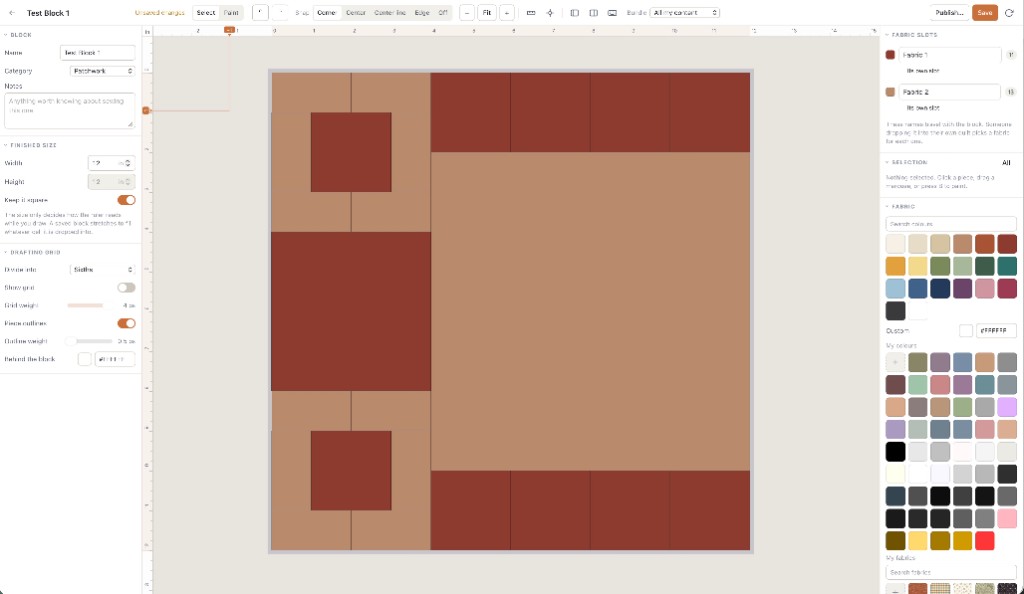
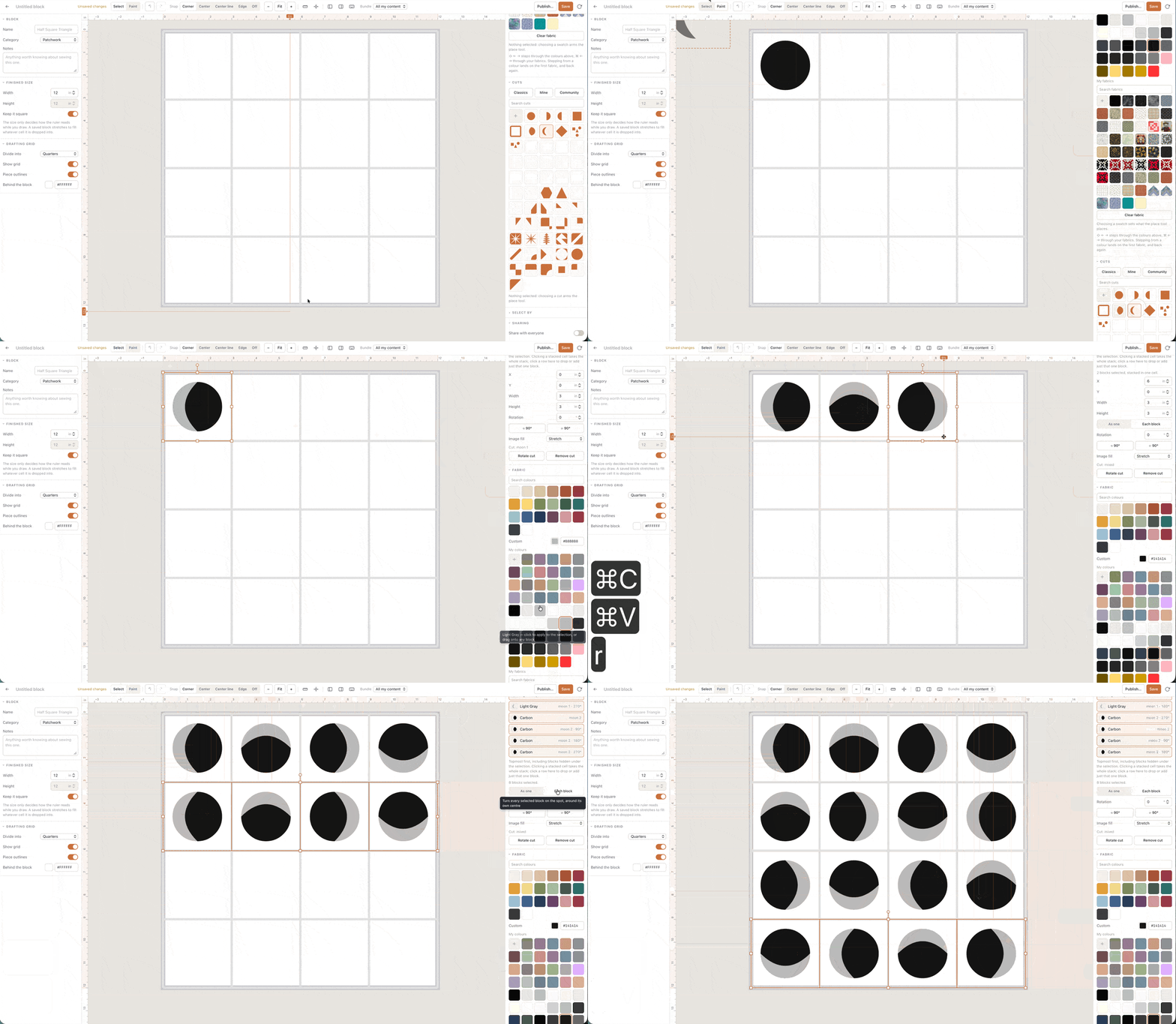
- Draft on a grid. The block builder is one finished square. Set the size and how finely the grid divides it — thirds for a nine-patch, quarters for a sixteen-patch — then paint pieces. A saved block stretches to fill whatever cell you drop it into.
- Piece with cuts. A cut is the shape inside a piece: half-square triangle, quarter square, curve, freeform. Paint with a colour and a cut; leave the cut off and you paint squares. Odd shapes share the same fabric math as a four-patch. That is the cuts vs fabrics spine.
- Lift a selection. Anything already on the quilt can be saved back out as a reusable block — a unit you liked in the corner, kept so you can stamp it again.
- Fabric slots. As you paint, colours become named roles someone recolours when they use the block. That is what makes a block reusable in another quilter’s stash, including a pattern bought from the marketplace.
How a block becomes a quilt
Stamping explodes the block into ordinary pieces on the canvas, cell by cell. Recolour a role and every matching piece follows. Rotate or nudge; undo exists because everyone points a goose the wrong way once. The layout around those cells — how many repeats, sashing, borders — is a different panel, described on quilt layout software.
Yardage still follows the pieces, not a guess at block width. Visual design is free: one saved quilt and ten fabric photos. Exact sizes, yardage, cutting charts, and exports for a design you make come with a $4.99 unlock of that layout or Quilter. Public calculator pages stay free. If a cut needs paper rather than a rotary shortcut, the pack can include mirrored sheets from the foundation paper piecing pipeline — Quiltler does FPP; that page is the sheets, not this one.
This is not a colouring page of someone else’s block. If the file cannot become pieces you cut, it is a different product, even if it uses the word block.
Designing the block is free; the library is not
You can stamp classics, draft on the grid, and piece with cuts with no card. Free accounts keep one saved quilt and ten fabric photos. Saving custom blocks and custom cuts into your library is the same gate as the rest of Quiltler — the drawing tools stay open; the filing cabinet is paid. Confirm prices at checkout; terms are the legal copy.
If price was the search, free quilt design software states the allowance without repeating this block pipeline. If the computer is the constraint, the quilt designer for web is the machine question. Choosing among brands? Best quilt designer is the criteria, not a trophy.
Who this page is for
Piecers who think in units: a star they will set, a nine-patch they will repeat, a curve they will draft once. Teachers who want a block they can recolour in class. It is a poor fit if you only needed to recolour a JPEG, or if you wanted the whole bed quilt’s sashing before you had a block to stamp.
New to drafting on a computer? Quilt design software for beginners is the slower on-ramp. The studio still opens on a real layout; you do not have to draw a block from nothing to start. Pair with how to design quilts if the craft itself is new.
Around the block
Quilt layout software
Size, grids, sashing and borders once the block is ready to repeat.
Quilt design software
The rest of the studio: layouts, stash, yardage, packs.
Quilt block patterns
Teaching pages for the classics you can stamp.
Online quilt designer
Stamp and draft in a browser tab, nothing to install.