Quilt design software for beginners is the first quilt on a computer: you wanted to see the top before you cut, and every installer looked like a second hobby. Quiltler is a browser tab. It opens on a layout you can pull apart, not an empty grid. This page is that first hour. For the craft itself, use quilting for beginners. For the full studio map, see quilt design software.
On this page
A first hour in the tab
Nothing is saved until you press Save. Closing an unsaved tab loses the work. That is the only rule worth knowing before you click.
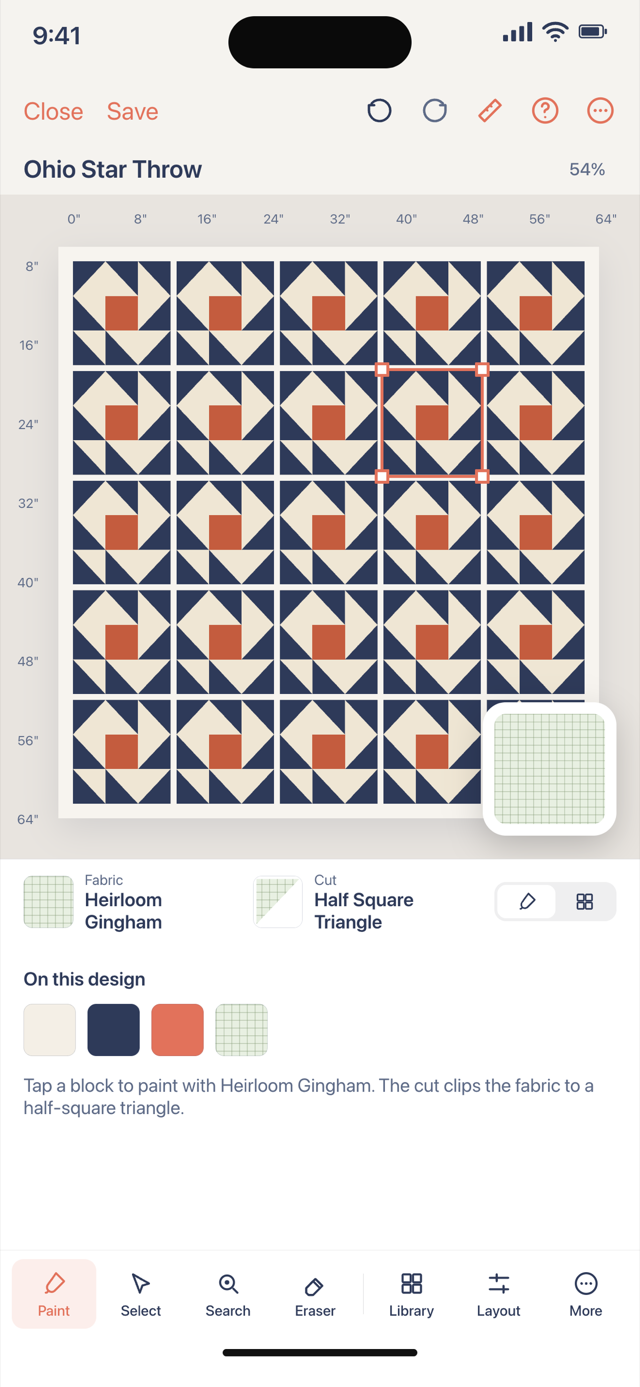
- Recolour something Click a square, click a swatch. That is the whole loop. The designer opens on a finished quilt so there is something to change from the start. Undo takes back a colour you regret.
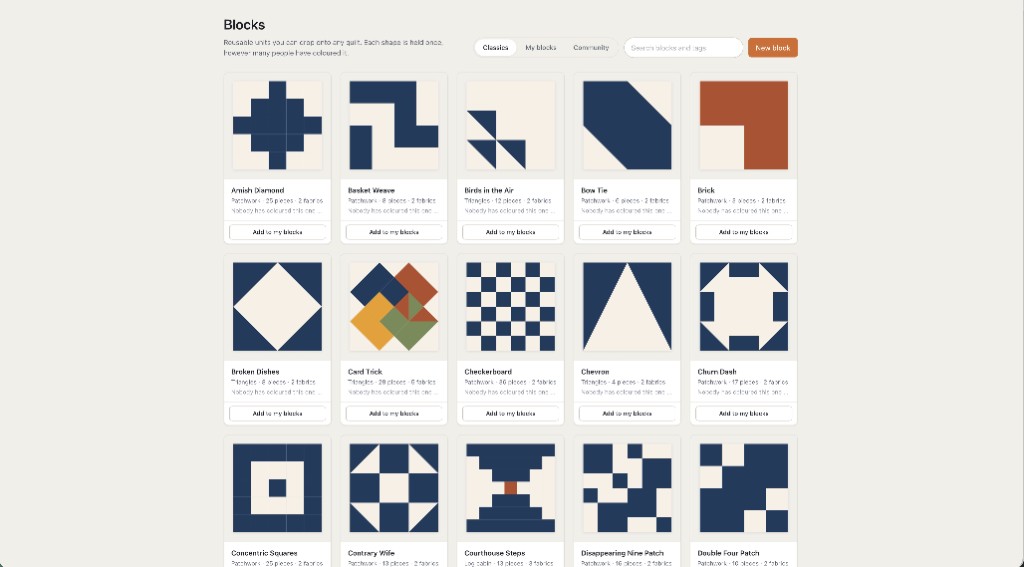
- Stamp one block Classics holds traditional units — nine-patch, star, flying geese — ready to stamp. Click a block, click a cell. You do not have to draft from nothing. More on that job: quilt block designer.
- Glance at size, then keep one Finished size sits on the layout. Add a border if you want to watch it move. Save the one quilt you would sew. That is the free allowance. Step-by-step craft sits in how to design quilts.
What you can ignore on day one
You can ignore the Cut Designer, custom blocks, and selling on the marketplace. You can ignore half-drop grids and pieced sashing. Those are real tools — quilt layout software is the later page — and none of them is required to finish a first plan. The first-run tour is short on purpose: pick, recolour, maybe stamp. Everything else waits in the same panels.
You can also ignore Electric Quilt for now. EQ8 is a mature desktop install with a large library; it is a lot of software to meet on day one. Quiltler will not open EQ8 project files. Recreate a layout if you ever switch. The Electric Quilt comparison can wait until you care.
Design is free. There is no seven-day countdown on the canvas. The catch is written here: one saved quilt, ten fabrics, and the printable pack is paid.
Free means the canvas, not a toy
A lot of “beginner” tools are free because they only recolour a picture. Quiltler calculates from pieces. Visual design is free: one saved quilt and ten fabric photos. Exact sizes, yardage, a cutting chart, and a pattern pack for a design you make come with a $4.99 unlock of that layout or Quilter. Public calculator pages stay free. That pack can include optional sheets from foundation paper piecing when a layout needs them. Quiltler does FPP; you do not need it on quilt one.
Free accounts keep ten fabrics and one saved quilt, plus unlimited solid colours. Photograph a background and a focus print. That is enough to see your cloth on the layout. It is not a season’s stash. The longer honest version is free quilt design software. Confirm prices at checkout; terms are the legal copy.
Where to sit, and what not to install
A current browser is enough: Chrome, Safari, Firefox or Edge, including a Chromebook or a PC that will not let you install anything. That computer question is the quilt designer for web. The online quilt designer is the same studio as a session. Optional iPhone and iPad apps keep the same account when you want the sofa or a photo of a bolt. They use the same free allowance.
Choosing among brands rather than among first steps? Best quilt designer is the checklist, without a fake ranking. You do not need it before you have recoloured one square.
Who this page is for
People who sew, or are about to, and want a plan on a computer without being treated like a CAD student. Hobby quilters on a first digital top. It is a poor fit if you needed software that only makes a pretty picture you will never cut, or if you already live in a desktop install and wanted a feature-for-feature clone of it.
New to piecing entirely? This page will not teach a quarter-inch seam. Use quilting for beginners and how to make a quilt for the craft, then come back and open the tab. The software keeps you from buying three yards of the wrong print. It will not sew for you.
After the first hour
Free quilt design software
The same gate, written for people who searched “free,” not “beginner.”
Online quilt designer
The no-download session once the first hour feels short.
Quilt design software
What the studio contains when you are ready for the map.
Designer guide
The click-by-click browser studio manual, with a print-to-PDF copy.