A patchwork designer is the piecing job: what gets cut, how the pieces meet, and how those units sit on a top you will actually sew. Quiltler does that in the browser studio, with the same projects on iPhone and iPad. This page is not the product map — that is quilt design software — and it is not one square on a grid; that is the quilt block designer. Here the subject is patchwork: piecing, cuts, and the layout those pieces make.
On this page
What patchwork means in this studio
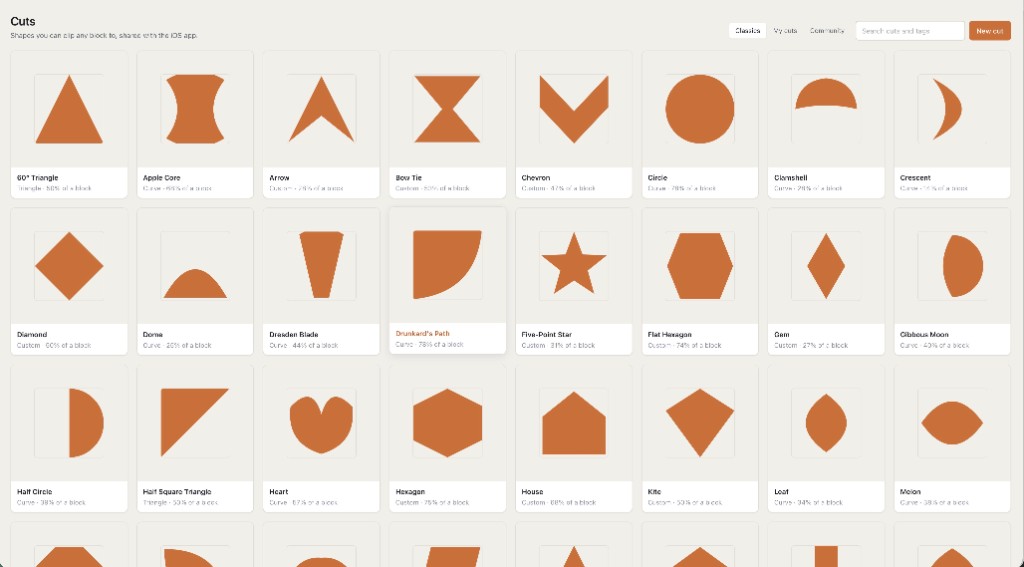
- Piecing from cuts. A cut is the shape inside a piece: half-square triangle, quarter square, curve, freeform. Paint a colour and a cut; leave the cut off and you paint squares. Odd shapes share the same fabric math as a four-patch. That is the cuts vs fabrics spine, and it is why a pretty collage of whole blocks will lie about yardage.
- Layouts of those pieces. Straight set, half-drop, or a tessellating cut grid — hexagons, diamonds, tumblers — so the lattice itself is the patchwork. Finished size moves when you change the grid. How sashing and borders sit on that lattice is a different page: quilt layout software.
- What you will cut. Yardage is counted from the pieces, not from a guess at quilt width. Exact sizes, yardage, and a printable pack for a design you make come with a $4.99 unlock of that layout or Quilter. Visual design is free: one saved quilt and ten fabric photos. Public calculator pages stay free. If a cut needs paper rather than a rotary shortcut, the pack can include sheets from foundation paper piecing — Quiltler does FPP; that page is the papers.
Not a block stamp, not a software brochure
Search “patchwork designer” and you will land on colouring pages of patchwork pictures, CAD suites, and block libraries. Quiltler’s answer is narrower. You piece. You cut. You lay those pieces out. A nine-patch you stamp is still patchwork — it explodes into ordinary pieces on the canvas — but the job this page names is the piecing, not the catalog of classics. Stamp when a classic is the unit; open the Cut Designer when the unit does not exist yet.
The online quilt designer is the same studio as a session in a tab. Best quilt designer is how to choose a brand. Neither is this sentence: patchwork is pieces that meet at a seam.
If the file cannot become pieces you cut, it is a different product, even if the picture looks like patchwork.
How a piecing session actually moves
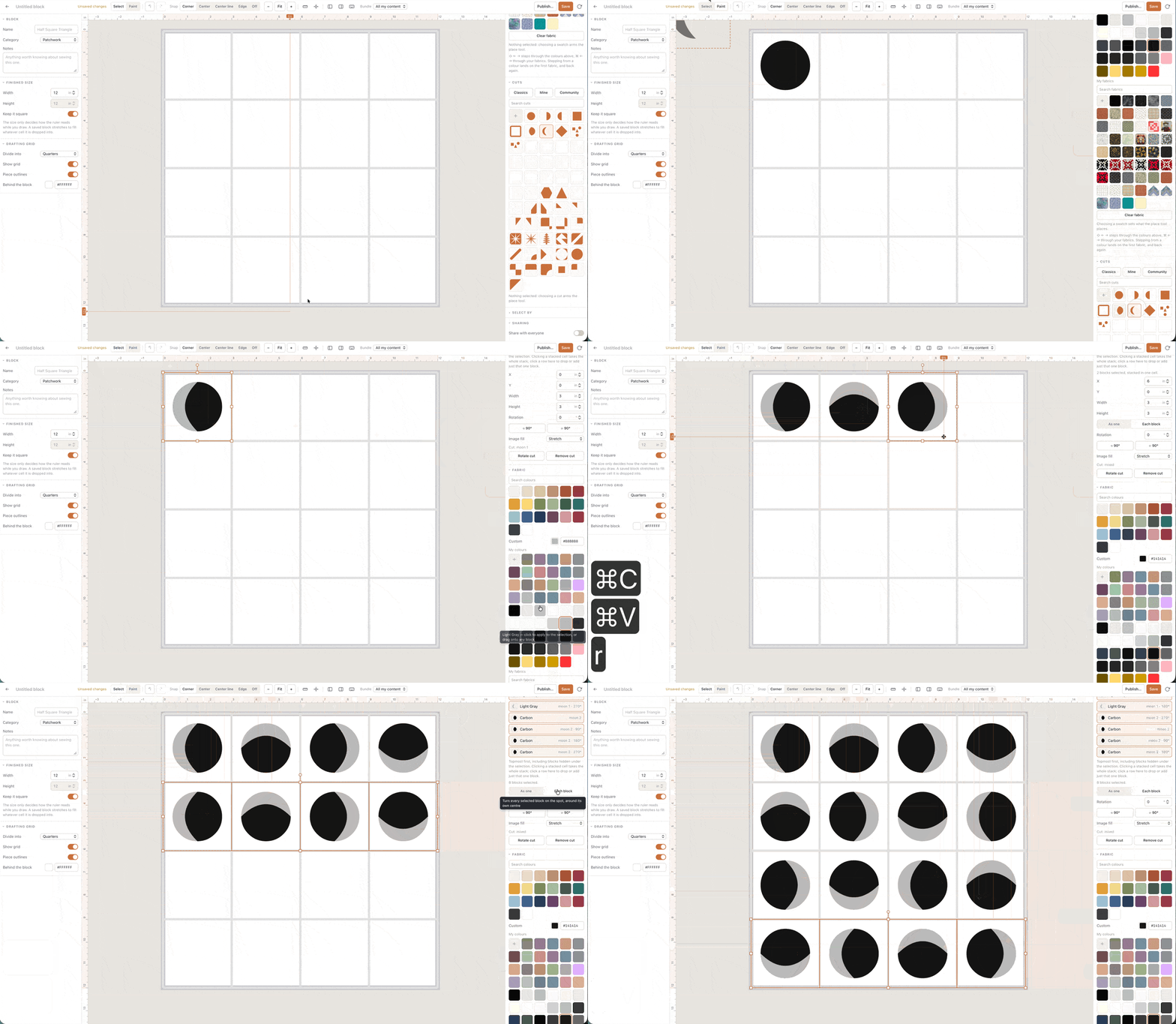
Set a size. Place units — stamped or drawn. Paint cuts into the pieces that need them. Recolour a role and every matching piece follows. Rotate a goose that points the wrong way; undo exists. Taking that plan to the shop is quilt planner software — size, blocks, fabric, yardage as one list. This page is the piecing that feeds it.
On a Chromebook or a locked PC the studio is still a URL. That computer question is the quilt designer for web. Optional iPhone and iPad apps keep the same cuts and layouts. There is no second patchwork product for the sofa.
Piecing is free; the filing cabinet is not
The canvas — cuts, stamps, layouts — runs with no card. Free accounts keep one saved quilt and ten fabric photos. Saving custom cuts and custom blocks into your library is the same gate as unlimited quilts. Confirm prices at checkout; terms are the legal copy. The honest allowance, without this piecing list, is free quilt design software.
A colouring toy is free because it never owed you a cutting chart. Quiltler calculates from the pieces once you unlock that design. The geometry is not a different product.
Who this page is for
Piecers who think in seams: HSTs, curves, a honeycomb they will sew, a layout of units that have to match at the points. Teachers who need the pieces on screen before anyone cuts. It is a poor fit if you only wanted to recolour a JPEG of patchwork you will never sew, or if you needed one square drafted and nothing else — use the block designer for that square.
New to designing on a computer? Quilt design software for beginners starts by changing a layout that is already there. Pair with how to design quilts if the craft itself is the new part.
Around the piecing
Quilt block designer
One pieced square: stamp, draft, then drop it into this patchwork.
Quilt layout software
Size, grids, sashing and borders once the pieces are ready to sit.
Quilt planner software
The shop list: size, blocks, fabric and yardage for this quilt.
Quilt design software
The rest of the studio: stash, packs, iPhone and iPad.