People search quilt coloring software (and quilt colouring software) when they want to audition prints before they cut. Some tools stop there: a published pattern, recolored, saved as a picture. Quiltler colors a quilt that is already pieced — blocks, pieces, sashing — so a color change is a fabric change with math attached. Open the studio. This page is the coloring job. If you are choosing a visualizer versus a piecing studio, the fair split is on PreQuilt alternative. If you wanted a picture turned into pieces, that is the photo quilt maker.
On this page
How coloring actually works here
- Roles, not one-off paint. Pieces share a fabric role: star point, background, sashing. Recolor the role and every matching piece follows. That is what makes a block reusable, including a pattern bought from the marketplace.
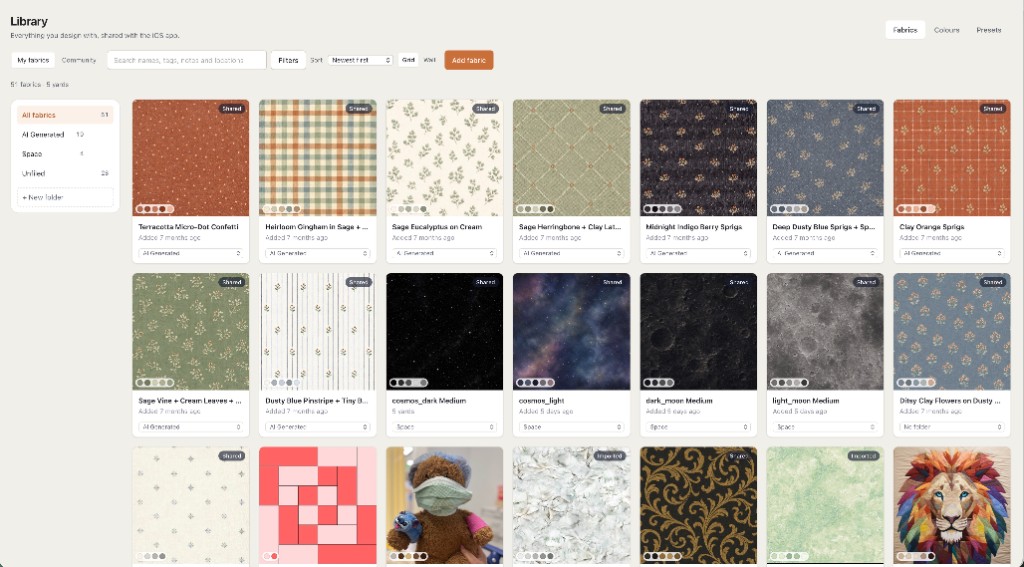
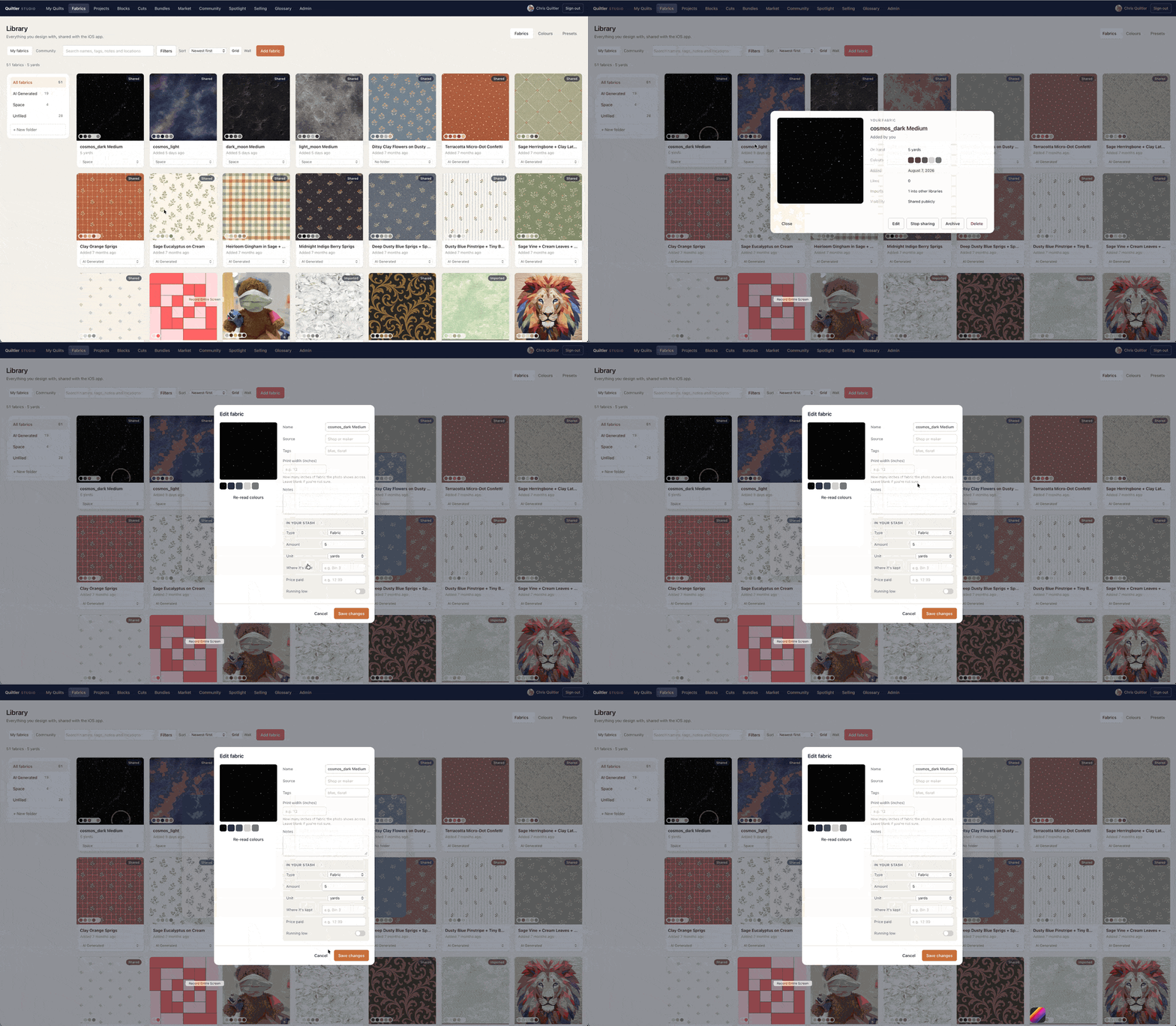
- Fabric you photograph. Drop a phone snap of a bolt onto a role. Scale and repeat are the print, not a solid swatch pretending to be Liberty. Free accounts keep ten fabrics. Quilter holds the rest of the stash.
- Colorize from an image. Sample a picture onto pieces already on the quilt — the same sampling the photo start uses, so a mosaic and a recolor cannot disagree. Starting from a photo as EPP pieces is the other route, on photo quilt maker.
- Color that still sews. Change a print and finished size does not move; yardage does, because the pieces did not change shape. Cutting sizes and yardage for a quilt you design come with Quilter, or with a one-time $4.99 purchase of that quilt's pattern. Public calculator pages stay free. Per-fabric yardage and a cutting chart are in the printable pattern (see quilt pattern maker).
A coloring book is a different product
There is honest work in coloring a published pattern you already bought: you want to see the navy against the mustard before you unpick. Tools built for that job are often lighter, and sometimes better, than a full studio. Quiltler will not win a contest for “fastest recolor of someone else’s PDF.” It will win the moment the coloring has to become a cutting chart. If coloring is the whole task, read the PreQuilt page and go where the job is.
If you are drafting the piecing as well as coloring it, stay. Stamp a quilt block, set a layout, then recolor. Companion apps keep the same roles on iPhone and iPad. A web tab is enough; nothing to install. Foundation paper piecing sheets still print when a pieced block needs them — coloring a flying geese unit does not remove FPP from the printable pattern.
What free coloring includes
The design wall is not a trial. Recolor without a card. The free account keeps one saved quilt and ten fabric photos, plus unlimited solid colors. That is enough to see your cloth on a quilt. It is not a season of bolts or a private archive of colorways. Those are part of Quilter, described without fog on free quilt design software.
For choosing among brands rather than among coloring jobs, best quilt designer is the criteria page. For a session with no installer, the online quilt designer.
If two prints look identical on screen and different in the room, photograph them in the same light. The studio cannot fix a white-balance lie. The full account of flat colors is the color conundrum.
Around coloring
PreQuilt alternative
Fair split: visualizing a pattern versus piecing one.
Photo quilt maker
When the picture is the quilt, not a fill on a quilt you already have.
Quilt design software
The rest of the studio after the colors settle.
Online quilt designer
The no-install session: open a tab and recolor.