Quilt fabric stash app is quilter language for “design with what is in the drawer.” Quiltler does that in the studio: photograph bolts and fat quarters, see them at a scale that respects print repeat, and paint roles on blocks. This page is your stash, not quilt coloring software, which is recolouring without owning the cloth. It is not yardage math alone — that job includes quilt yardage from design, where totals come from real pieces. For a scrappy plan built from many prints, see scrappy quilt planner.
On this page
What the stash app actually holds
- Photographs, not clip art. Drop a photo of fabric you own. The canvas uses it as texture on pieces, so a large floral reads differently from a stripe at the same role. Solid colours stay unlimited on free; photo slots are gated honestly.
- True-scale print. Large prints and directional stripes behave like cloth, not like a stretched JPEG. That matters when you decide whether one fat quarter covers the background or whether you need yardage.
- Two fabrics on free. Free accounts keep one saved quilt and two fabrics — typically a background and a focus print — plus solids. A fuller photo library is the subscription, same gate as unlimited saved quilts.
- Yardage from the design. Finished size and a fabric total follow the pieces you painted. Per-fabric charts and a printable pack are paid. When the question is only math without a saved top, use quilt fabric calculator.
- Paper piecing when a block needs it. Odd angles sometimes ship as FPP sheets in the pack from foundation paper piecing. Your stash photos still define the roles those papers sew.
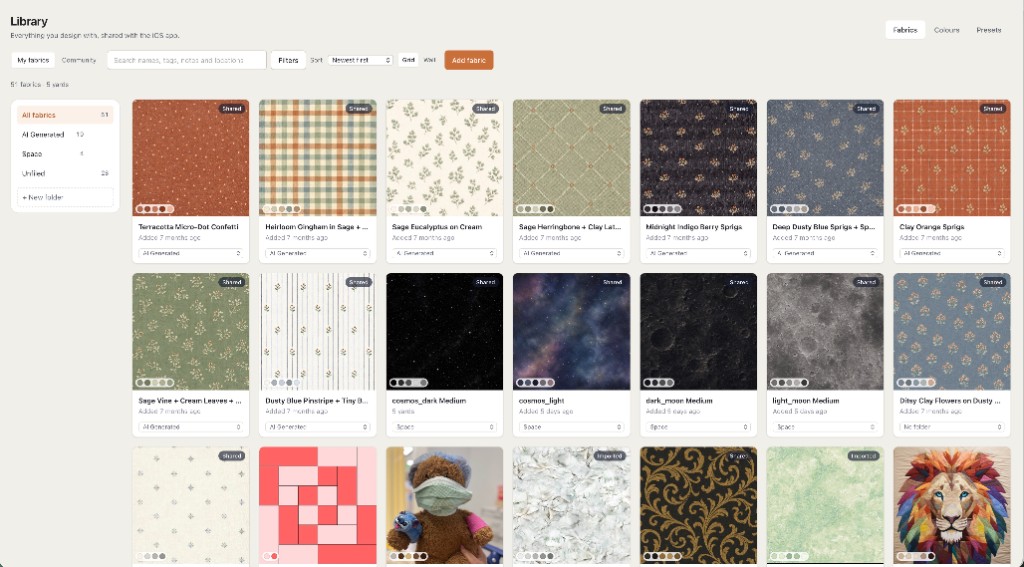
How a stash design session moves
Photograph a bolt at the shop or a stack at home. Open the studio, set a size, stamp or piece blocks, and assign your prints to roles. Change the background and every matching piece updates. Finished size stays on screen so a lap cannot become a queen while you were auditioning stripes. That plan — size, blocks, fabric, yardage — is quilt planner software language; the stash app is the fabric column of that plan.
On iPhone and iPad the same stash syncs: photograph in the aisle, see the print on the throw at home. The desk session is the online quilt designer in a tab. Nothing here promises to inventory your entire sewing room on free — it promises honest design with the prints you can load today.
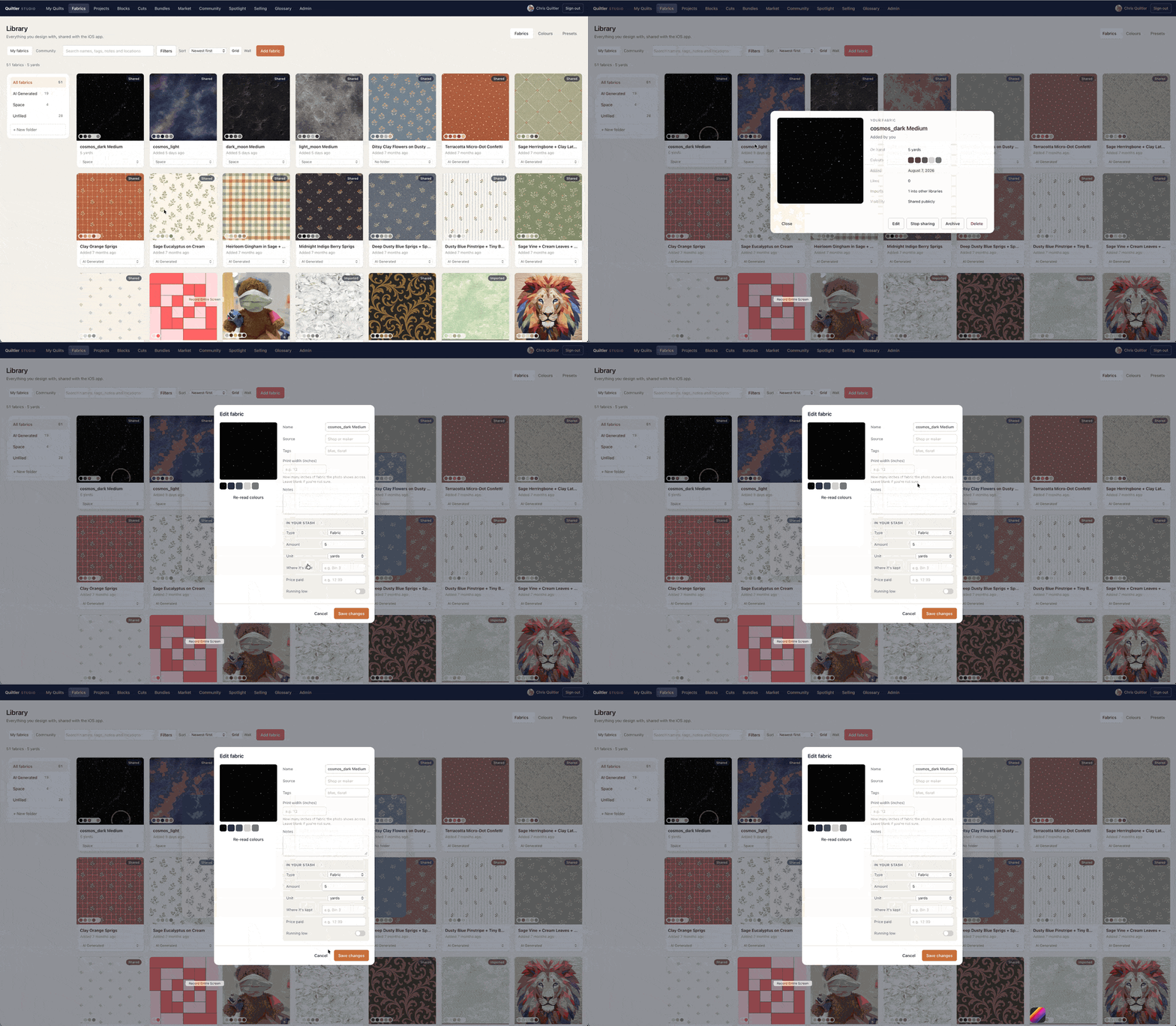
Open the studio, add two fabrics, paint a block. If the texture on screen looks like your shelf, you are using a fabric stash app — not a colouring page.
Free stash vs the full cabinet
The canvas — size, blocks, two photo fabrics, solids, finished size, fabric total — runs with no card. Free accounts keep one saved quilt and two fabrics. Unlimited photo stash and unlimited saves are the subscription. Confirm prices at checkout; terms are the legal copy. The plain free tier is spelled out on free quilt design software.
If your search was yardage after the stash is chosen, continue on quilt yardage from design. If the search was only “what if these colours swapped,” the coloring page is enough — and it is a different product.
Who this page is for
Quilters who buy for a project and need to see their prints on a real size before cutting. Guild members matching challenge fabrics. Gift makers who cannot discover the navy was wrong after three yards are gone. It is a poor fit if you wanted a manufacturer catalog you do not own, or if you only needed hexie papers — see English paper piecing software.
Patchwork with those prints is patchwork designer. The product map is quilt design software.
Around your fabric stash
Quilt coloring software
Recolour layouts when you do not need photographed cloth.
Scrappy quilt planner
Many prints, one top — plan the chaos before you cut.
Yardage from design
Totals counted from pieces, not rectangle guesses.
Quilt planner software
Size, blocks, fabric and yardage as one shop list.