Search best quilting apps for iPhone and you get lists written before half of these apps existed. QuiltFit, Swatchit and Quilt Duck are all recent arrivals, and they are small, focused, and in some cases very good at their one thing. We read every App Store listing on this page in November 2026 and describe each app by what its maker says it does. We do not print their prices, because prices move: check the App Store for current pricing. Quiltler is ours, so weigh our view of it accordingly. For the bigger cross-platform names, Electric Quilt, Quiltography and PreQuilt, see the app roundup.
On this page
- iPhone quilting apps at a glance
- Quiltler: a whole design studio on the iPhone
- QuiltFit: a tidy planner for block quilts
- Quilt Duck: your fabric in a classic pattern
- Swatchit: coloring a quilt pattern
- Quilt Pattern Creator: blocks into a printable layout
- Also on your iPhone, for other jobs
- Which iPhone quilting app to pick
- More ways to choose
iPhone quilting apps at a glance
Labels from each App Store listing. “Not listed” means the listing does not say, not that the app cannot.
| Feature | Quiltler | QuiltFit | Quilt Duck | Swatchit | Quilt Pattern Creator |
|---|---|---|---|---|---|
| The job | Design a quilt from scratch | Plan a block quilt | See your fabric in a pattern | Color a pattern | Blocks into a pattern |
| Your fabric photos | Yes Yes, ten on free | Built-in or custom fabrics | Yes Yes, four on free | Colors with Kona names | Not listed |
| Yardage | Yes From the pieces, paid | Yes Per fabric, shopping list | Yes Full version | Yes Per color, Baby to King | Not listed |
| Cutting | Yes Cutting plan, paid | Yes Cut list; PDF on Pro | Yes Full version | Not listed | Not listed |
| How you pay | Free start, then Quilter | Pro subscription, 3-day trial | One-time full version | Free to start, plans | One-time unlock |
| Also on | Yes iPad, and any browser | iPad, Apple-silicon Mac | iPad | iPad, Vision Pro | iPad, Apple-silicon Mac |
Read on each app’s US App Store listing in November 2026. Check the App Store for current pricing. Quiltler’s prices are shown at checkout; terms are the legal copy.
Quiltler: a whole design studio on the iPhone
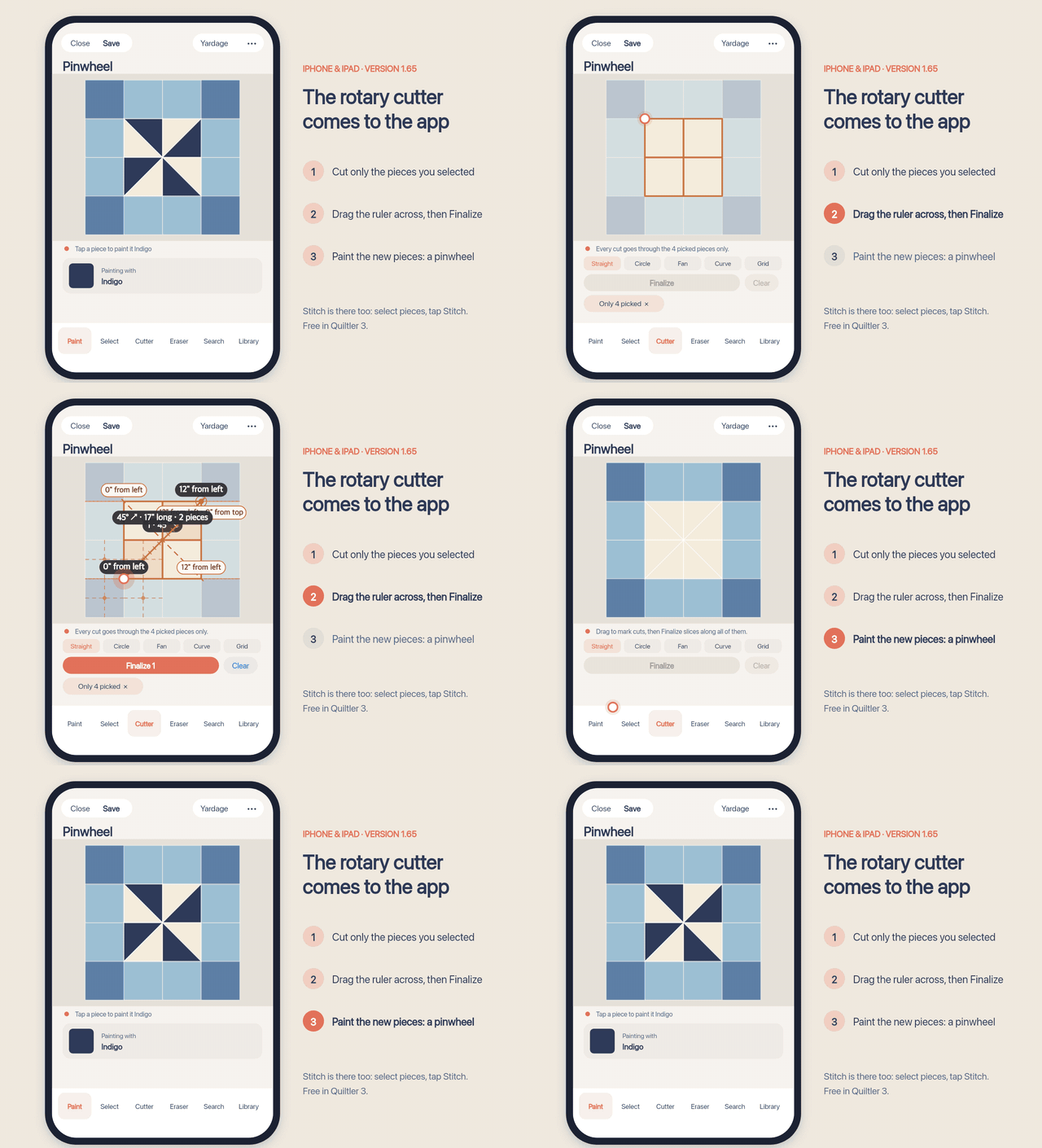
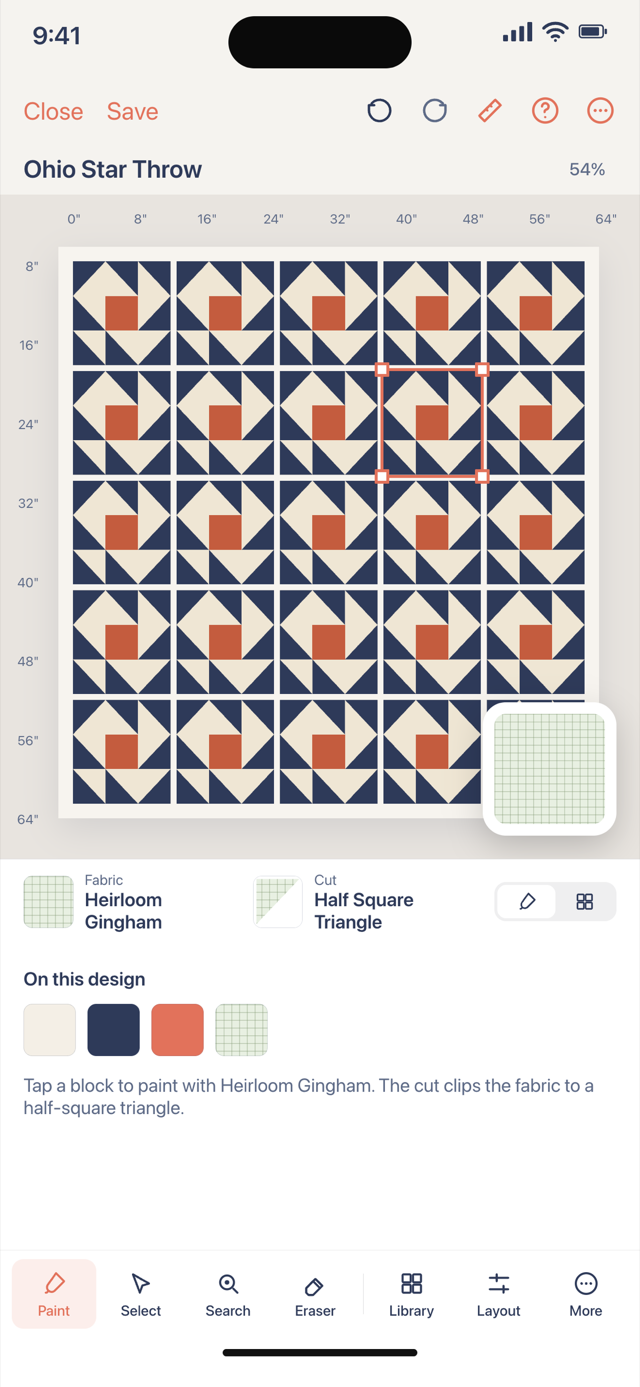
Quiltler 3 is the app we make, and it is the one on this list that starts from a blank quilt rather than a fixed set of patterns. You stamp classic blocks from a library, draw your own shapes, cut pieces with an on-screen rotary cutter, add sashing and borders, and photograph fabric you own to drag onto the pieces. The same quilt opens on an iPad and in the browser studio on a computer, so the iPhone is not where the work gets stuck. The Calculators tab has the same twenty-four quilting calculators as the website, free.
Design is free to try. The free account keeps one saved quilt and ten fabrics. Cutting sizes, yardage and the cutting plan for a quilt you design come with a Quilter plan, or with a one-time purchase of that one quilt’s pattern. The full printable pattern, with true-scale templates and mirrored sheets for foundation paper piecing, is made in the browser studio from the same saved quilt. The honest weak spot: on a phone screen a big quilt is a lot of pinching, and a focused app can be quicker for its one job.
QuiltFit: a tidy planner for block quilts
What works about QuiltFit
- Starts from familiar blocks, such as nine patch, log cabin, half-square triangles and flying geese, with a whole-quilt preview.
- Yardage per fabric, a shopping list with optional prices, and a cut list with a visual cutting view.
- Illustrated sewing steps and progress tracking across blocks.
- Works on the device with no login; its maker says projects are not uploaded to its own cloud.
Where it falls short
- Magic Fill, cutting layouts and the PDF cut list are QuiltFit Pro, a monthly or yearly subscription after a three-day trial.
- On-device only means no browser version to open the same quilt on a Windows PC.
- It plans quilts from its block patterns; the listing does not describe drawing your own shapes.
- Very new: version 1.0.1, with a handful of ratings so far.
QuiltFit or Quiltler?
If you sew from standard blocks and want a cut list in your pocket without an account, QuiltFit is a sensible pick. If you want your own shapes, your fabric photos on the quilt, the same quilt on a computer, and free calculators beside it, that is Quiltler. Both put the cutting numbers behind the paid plan, so try each on a quilt you have already sewn and compare the numbers.
Quilt Duck: your fabric in a classic pattern
Quilt Duck answers one question well: what will this quilt look like in my fabric? You photograph your own prints and drop them into classic patterns like flying geese and friendship star, at home or in the shop. The free version allows four fabric swatches and twelve patterns. The full version, a one-time purchase rather than a subscription, adds more than fifty patterns, unlimited swatches, and yardage and cutting dimensions. It has warm reviews, and a one-time price is easy to like.
Where it stops is the pattern list: you choose from its patterns rather than designing your own blocks or shapes, and its listing names iPhone and iPad only. If you want to invent the quilt, or sit down at a computer with it, Quiltler is the bigger tool. If you only ever audition fabric on patterns you already like, Quilt Duck is lovely for that.
Swatchit: coloring a quilt pattern
Swatchit is a coloring app: tap a region of a quilt pattern and it fills with your color, with an eyedropper, a tolerance setting and “replace every instance” for quick colorways. Its most interesting trick is photographing a quilt and turning the photo into an editable pattern, with AI cleanup. It estimates per-color yardage for sizes from Baby to King, matches colors to Kona Cotton names, shows AI room scenes, and shares links for guild feedback. It is free to start; the listing mentions an upgrade but not what it costs, so check the App Store.
It is a 2026 release without ratings yet, and its listing describes solid colors, not photos of your own prints. If coloring is the whole afternoon, try it. If you want the coloring to become pieces you cut, with your stash on the quilt, that is the line drawn on quilt coloring software.
Quilt Pattern Creator: blocks into a printable layout
Quilt Pattern Creator, from Sand Castle Designs, has been around longer than QuiltFit, Quilt Duck or Swatchit and is still being updated. It offers more than 200 pre-designed blocks or a block builder with triangle, square and pentagon shapes from 5 to 16 inches, square or on-point settings, sashing, a paint bucket and dropper, and printing. The download is free with three patterns, and a single one-time purchase activates creation, which is about as simple as pricing gets.
Its listing does not describe fabric photos, yardage or cutting charts, so treat it as a layout and coloring tool. If you want yardage that follows the pieces, that is the job of quilt yardage from the design.
Also on your iPhone, for other jobs
Quilt Geek is a calculator app for iPhone and Android, with most of its math in the paid upgrade; the split is the Quilt Geek alternative. Makerly bundles a quilt designer, calculators, embroidery and a shop directory on one subscription; see Quiltler vs Makerly.
Two names come up on older lists. Quilt Fusion makes fusible art quilts from licensed artwork and batiks, with patterns and cut files for a Silhouette cutter, but it is an iPad app and its listing’s last update is from 2016. Quiltography is an iPad-focused designer rather than an iPhone one; it is compared on the Quiltography alternative. If the iPad is your main screen, start at quilting app for iPad.
The fair test for any of these: rebuild a quilt you have already sewn. If the app’s cutting sizes match what you actually cut, you can trust it with the next one.
Which iPhone quilting app to pick
- To see your own fabric in a classic pattern: Quilt Duck.
- To color a pattern, or turn a photo of a quilt into one: Swatchit.
- To plan a quilt from standard blocks, with a cut list and no account: QuiltFit.
- To lay blocks into a pattern with one simple purchase: Quilt Pattern Creator.
- To design your own quilt, with your fabric, on the phone and the computer, and free calculators: Quiltler.
More ways to choose
Best quilt design apps
Quiltler, Electric Quilt 8, Quiltography and PreQuilt, across devices.
Choose a quilting app by the job
Design, math, coloring or a craft suite: the field, sorted.
Quilting app for iPad
When the bigger screen and Apple Pencil are the point.
Quilt design app for Android
No Play Store app; the web studio in Chrome instead.