A quilt design app for Android search usually ends at a store page for an iPhone app, or at a coloring toy. Quiltler is quilt design software that runs in a browser, so the same studio a quilter uses on a laptop opens on a Samsung tablet or a Pixel phone. The native Quiltler apps are iPhone and iPad only. On Android you use the web studio, and it is the real one, not a demo: blocks, borders, fabric photos, shapes and the printable pattern. Design is free to try. The free account keeps one saved quilt and ten fabrics.
On this page
What works on which Android device
- Android tablets. The best Android home for the studio. There is room for the design wall and a side panel at once, and pieces are big enough to tap. A keyboard case or a mouse makes it feel like the desk version, because it is the desk version.
- Android phones. The studio opens and works, and your quilts are all there. Be honest with yourself about the screen: the web designer was drawn for a desk, so laying out a king quilt on a phone is cramped. A phone is good for checking a quilt, recoloring a block, adding a fabric photo, and reading your yardage in the shop.
- The calculators, on any phone. The twenty-four quilting calculators are ordinary web pages. Binding, backing, half-square triangles, borders: open one in the fabric aisle with no account and no install.
- A Chromebook that runs Android apps. Use the studio in Chrome, not an Android app. The quilt designer for web page covers Chromebooks.
Install the studio on Android
This is a web app install, done by Chrome, not by the Play Store. It takes one tap and you can remove it like any app.
- Open the studio in Chrome Go to quiltler.com/app. Sign in, or start a quilt first and make an account when you want to keep it.
- Press Install On the studio home, the card Keep designing with no connection has an Install button. Press it and confirm in Chrome’s box. Quiltler Studio appears on your home screen.
- Open your quilts while you have signal The installed studio keeps what it has already loaded. Open the quilts you will want at the retreat before you leave.
- Design with no connection When the signal drops, a notice says Offline. Keep going and press Save; it says Kept on this device, then goes up to your account and shows All changes saved once you are back online.
Touch, fabric photos and the free line
The web design wall takes touch. Tap a piece to pick it, drag to move, and pinch with two fingers to zoom. If pinching on a small screen is fiddly, turn on Show the move and zoom pad in Quilt settings → Controls and use the arrows instead. It is not the iPad app, which was drawn for fingers and Apple Pencil from the start, and we will not pretend a browser on a phone is the same thing.
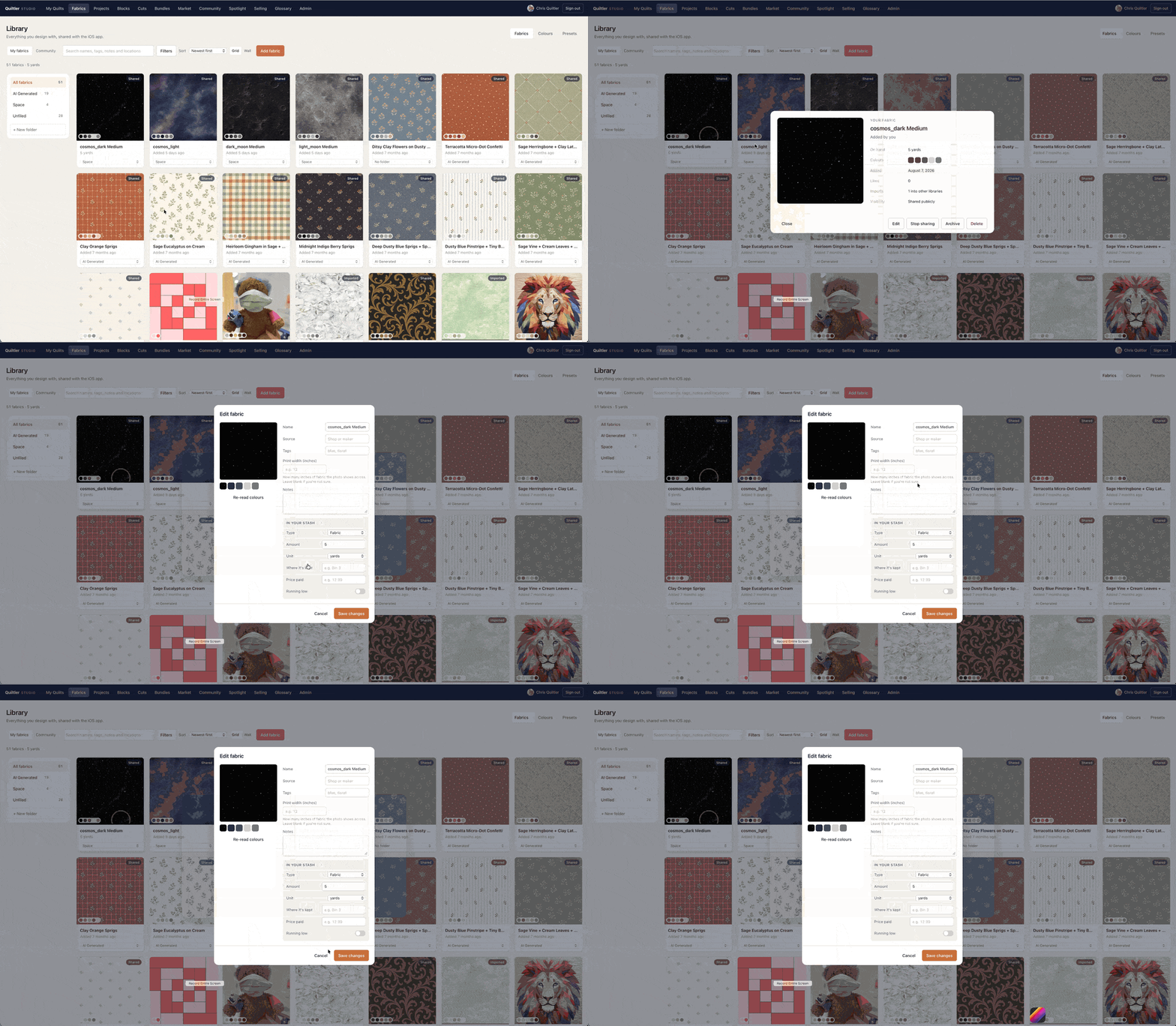
Fabric photos work the way they do on a computer. In My Library → Fabrics, press Add fabric, choose a photo of the print, crop it clear of creases, and type how many inches of fabric it shows across so it is life-size on the quilt. Photograph flat, in daylight, straight on. Free accounts keep ten fabric photos; solid colors are never counted.
Cutting sizes, yardage and the printable pattern for a quilt you design come with a Quilter plan, or with a one-time purchase of that one quilt’s pattern. That pattern includes the cutting chart, true-scale templates and, for pieced blocks that need them, mirrored sheets for foundation paper piecing. Print it from a tablet or a computer. The calculator pages stay free either way, and the plain version of the free line is free quilt design software.
Quilting apps that work on Android
Short labels. Makerly and Quilt Geek ship Android apps; Quiltler and PreQuilt run in the browser. Plans change, so we do not print their prices.
| Feature | Quiltler | Makerly | Quilt Geek | PreQuilt |
|---|---|---|---|---|
| On Android | Web studio, installable | Yes Native app | Yes Native app | In the browser |
| The job | Design a quilt you will cut | Quilt, embroidery, shops | Calculators | Color and visualize |
| Free calculators | Yes All 24, no account | Four on the website | Binding and backing | Not the product |
| Also runs on | Yes Web, iPhone, iPad | Yes Web, iPhone | iPhone | Yes Any browser |
What Makerly and Quilt Geek include free is as their makers describe it; the detail is on Quiltler vs Makerly and the Quilt Geek alternative. Confirm current plans in each app.
When a native Android app is the better hire
If you will never use a browser tab at the cutting table, a native app is the honest pick. Quilt Geek is a pocket calculator app for iPhone and Android, with diagrams and a metric switch; most of its calculators are its paid upgrade. Makerly puts a quilt designer, calculators, a fabric stash, embroidery and a shop directory on one subscription, with an Android app. If embroidery or a map of local shops is part of your week, that bundle can be worth it.
Quiltler’s case on Android is narrower and, we think, sturdier: the whole studio, the same one you would use on a laptop, with your quilts there on every device, and the calculators free without an account. If your household is mixed, say an Android phone and a Windows laptop, or an Android tablet and someone else’s iPad, everyone can open the same quilt. The field, sorted by the job, is the quilting app guide.
Will there be an Android app? We have nothing to announce, so we will not promise one. The web studio is updated for everyone at once, so Android gets every new tool the day the computer does.
A first quilt on an Android tablet
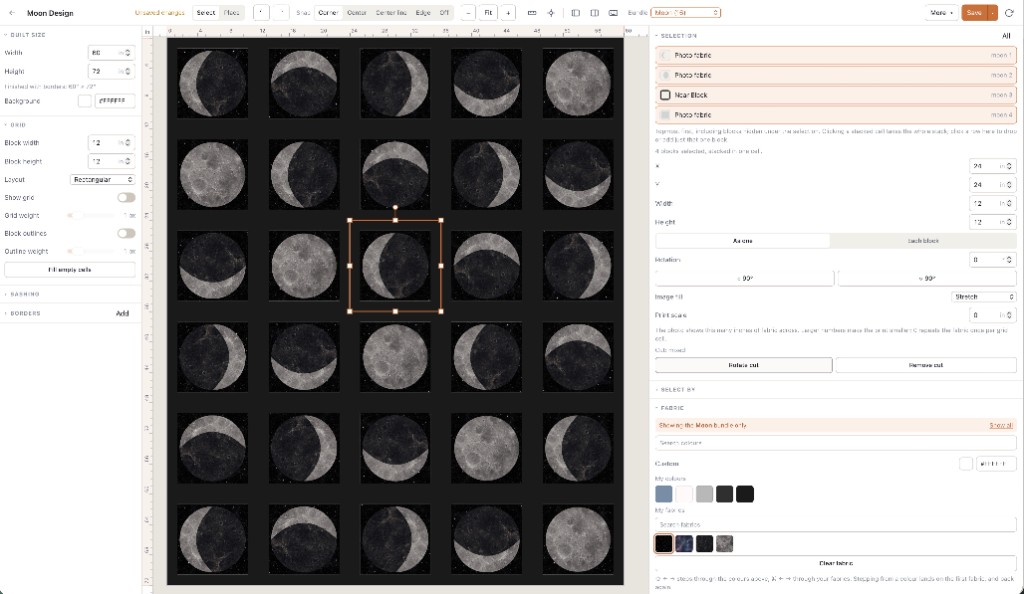
Start small enough to finish. Start a new quilt, pick a throw or a baby size, and put a classic block on it that you have sewn before. Drag a few fabrics onto the pieces. Add a border and watch the finished size change. Save it: that is your one free saved quilt.
If the tablet feels tight, open the same quilt on a laptop later. Nothing to export or email; it is the same account. A no-download walkthrough of the first session is on the online quilt designer page, and the tests for choosing any designer are on best quilt designer.
Same studio, other devices
Quilt designer for web
Chromebooks, locked work PCs and any computer with a browser.
Quilting calculators
All twenty-four, free, with no account, on any phone.
Choose a quilting app
Design, math, coloring or a craft suite: sorted by the job.
Quilt design software for Mac
Safari, the Dock, and designing with no connection.