People search quilt design software for Mac because most of the old programs were written for Windows first, and the ones that do run on a Mac are a big download and a licence key. Quiltler is quilt design software that lives at a web address, so a MacBook Air, an iMac or a Mac mini runs the same studio as a Windows PC or a Chromebook. Your quilts, fabric photos and shapes are the same ones you see in the iPhone and iPad apps, on one account. Design is free to try. The free account keeps one saved quilt and ten fabrics.
On this page
Three ways to run Quiltler on a Mac
- In a browser tab. Open quiltler.com/app in Safari, Chrome, Edge or Firefox. Nothing to download, no admin password, no licence key to keep track of. This works on every Mac with a current browser, Intel or Apple silicon.
- Installed to the Dock. In Safari, choose File → Add to Dock. In Chrome or Edge, the studio home shows a card called Keep designing with no connection with an Install button. Either way Quiltler Studio gets its own window and icon, and it keeps working on a plane or at a retreat: press Save and it says Kept on this device, then goes up to your account when you are back online. Firefox on a Mac does not install web apps, so use it as a tab.
- The iPad app, on a Mac with Apple silicon. Quiltler 3 is on the Mac App Store for Macs with an M1 chip or later, running macOS 13.3 or later. Apple labels it “Designed for iPad” and “not verified for macOS”: it is the iPad app in a window, drawn for fingers and Apple Pencil rather than a mouse. It is there if you like it. We would not make it your main studio on a Mac.
Browser studio or iPad app on a Mac
Both open the same quilts. The difference is which hands they were drawn for.
| Feature | Browser studio | iPad app on a Mac |
|---|---|---|
| Which Macs | Yes Any Mac with a current browser | Apple M1 or later, macOS 13.3+ |
| How you get it | Yes A tab, or Add to Dock | Yes Mac App Store |
| Drawn for | Yes Trackpad, mouse and keyboard | Touch, shown in a window |
| Keyboard shortcuts | Yes Yes, a searchable list | Touch gestures instead |
| No connection | Yes Installed studio keeps designing | Not something we promise |
| Printable pattern | Yes Full pattern, templates, FPP sheets | Cutting plan from Yardage |
Apple’s own wording on the App Store listing is “Designed for iPad. Not verified for macOS.” An Intel Mac cannot install the iPad app at all; it uses the browser studio, which is the same studio either way.
Why the browser is the Mac studio
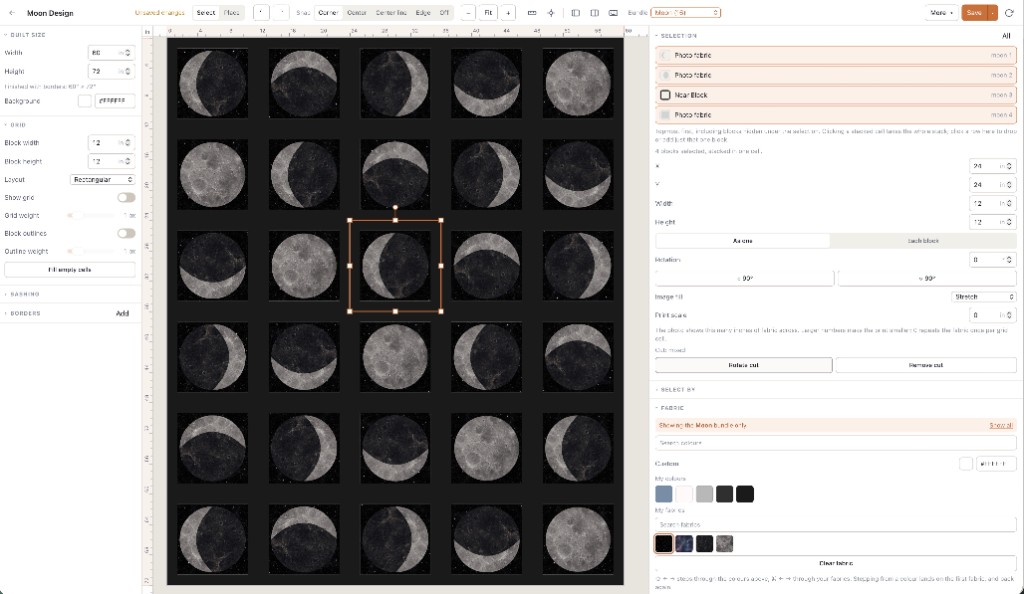
A Mac is a big screen and a precise pointer. The browser studio uses both. The block library, the Shape Designer and the side panels sit around a design wall you can see at bed size. Scroll to pan, and pinch on the trackpad or hold ⌘ while you scroll to zoom. The keyboard button at the bottom of the left panel lists every shortcut, grouped and searchable, so flipping, turning and undoing stop being trips to a menu.
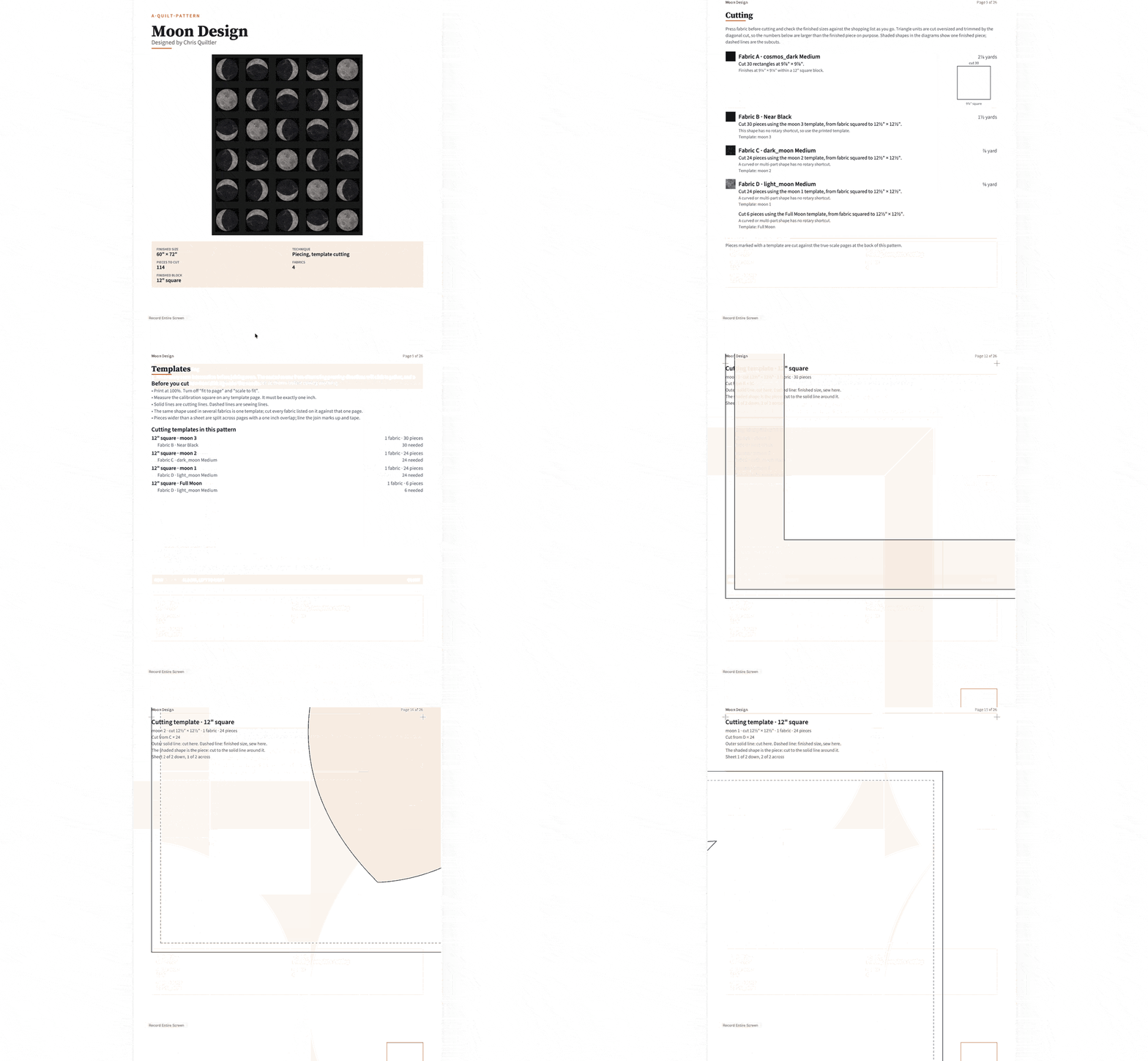
Some work is browser-only today, and it happens to be desk work. Tracing a photo or a sketch under the quilt with Overlays. Drawing seams for foundation paper piecing and printing the mirrored sheets. Laying out the printable pattern with its cutting chart and true-scale templates. Selling a pattern on the marketplace. On a Mac you get all of it in the same window you designed in.
What is free is the same on every device. Design is free to try, with no card. The free account keeps one saved quilt and ten fabric photos; solid colors do not count. Cutting sizes, yardage and the printable pattern for a quilt you design come with a Quilter plan, or with a one-time purchase of that one quilt’s pattern. The public calculator pages stay free and need no account. The plain version of that line is free quilt design software.
Electric Quilt 8 and other Mac options
Electric Quilt 8 does run on a Mac. Electric Quilt sells it as a download for Windows or for Mac, bought once rather than by subscription; check their shop for the current price. It has a very large block library and built-in fabric libraries, and pattern designers have trusted it for years. If it is already on your Mac and you never design anywhere else, keep it. Quiltler does not open EQ8 project files, so moving a quilt across means recreating it. The fair split, including where EQ8 is still the better tool, is the Electric Quilt comparison. If the question was whether EQ8 runs on an iPad, that has its own page: Electric Quilt for iPad.
PreQuilt also runs in a browser on a Mac, and is the better fit when the whole job is coloring a pattern you already have; the split is the PreQuilt alternative. iPad-only apps are an iPad decision, not a Mac one, even when the Mac App Store lists them. If you are weighing the whole field, the named-app table is the app roundup.
Set Quiltler up on your Mac
Five minutes, and nothing to uninstall later.
- Open the studio Go to quiltler.com/app in Safari or Chrome. You can start a quilt before you make an account; you need one to keep it.
- Put it in the Dock Safari: File → Add to Dock. Chrome or Edge: press Install on the Keep designing with no connection card on the studio home. The install guide has both.
- Open the quilts you will want offline Before a trip, sign in and open the quilts you plan to work on while you are still online. The installed studio keeps what it has already loaded.
- Start from something you have sewn Start a new quilt, set the size, and put a classic block on it. A block you know is the fastest way to judge whether the numbers make sense.
- Bring your fabric in Photograph fabric with your iPhone in the app, or add a photo file on the Mac. Either way it lands in the same stash, on both.
Mac at home, iPhone in your bag? Photograph a fabric in the iPhone app at the shop. It is in your stash when you sit back down at the Mac, ready to drag onto the quilt.
Who this suits
It suits a quilter with a MacBook at the kitchen table and an iPhone in the fabric shop, who wants the quilt to be the same quilt in both places. It suits a guild teacher with a Mac at home and a Windows PC at the shop, because the studio is the same web address on both. And it suits anyone who would rather not buy a desktop licence before they know they will use it.
It does not suit someone who needs a program that never touches the internet. The installed studio keeps designing with no connection, but you sign in and load your quilts online first, and saves sync when you are back. If the Mac never goes online, an installed desktop program is the right shape of tool. If the question is about other computers, the quilt designer for web page covers Chromebooks and locked work PCs, and the online quilt designer walks through a first session in the tab.
Other machines, same studio
Quilt designer for web
Chromebooks, work PCs and any computer that will not take an installer.
Quilting app for iPad
The native app for touch and Apple Pencil, with the same quilts.
Electric Quilt comparison
Where EQ8 is still the better desktop tool, and where it is not.
Best quilt designer
The tests for choosing a designer, without a fake ranking.