People type Electric Quilt for iPad hoping there is an app they missed. There isn’t. Electric Quilt sells EQ8 as a download for a Windows PC or a Mac, and iPadOS does not run Windows or Mac programs, so a keyboard case or an iPad Pro does not change the answer. As of November 2026, Electric Quilt’s site names no iPad, iPhone or Android version, and their block software BlockBase+ is also Windows and Mac. That leaves three honest routes, and Quiltler is one of them. The feature-by-feature comparison of the two programs lives on the Electric Quilt comparison; this page is only the iPad question.
On this page
Three ways to design quilts with an iPad
- Keep EQ8 on the computer, and use the iPad for looking. Design at the desk, then put a picture or a printed page of the quilt on the iPad for the sewing room. Nothing new to learn. Nothing on the iPad is editable, either.
- Reach your computer from the iPad. Remote-desktop apps can show a PC or Mac screen on an iPad. It is still EQ8 running on the computer, which has to be switched on, and a program built for a mouse is hard work through a fingertip. Fine for a quick look; tiring for an evening of design.
- Design in an app made for the iPad. The design wall, the fabric, and the yardage live on the iPad itself, drawn for touch and Apple Pencil. That is where Quiltler’s iPad app and other iPad quilt apps fit, and it is the only route where the iPad is the studio rather than a screen.
What Quiltler does on an iPad
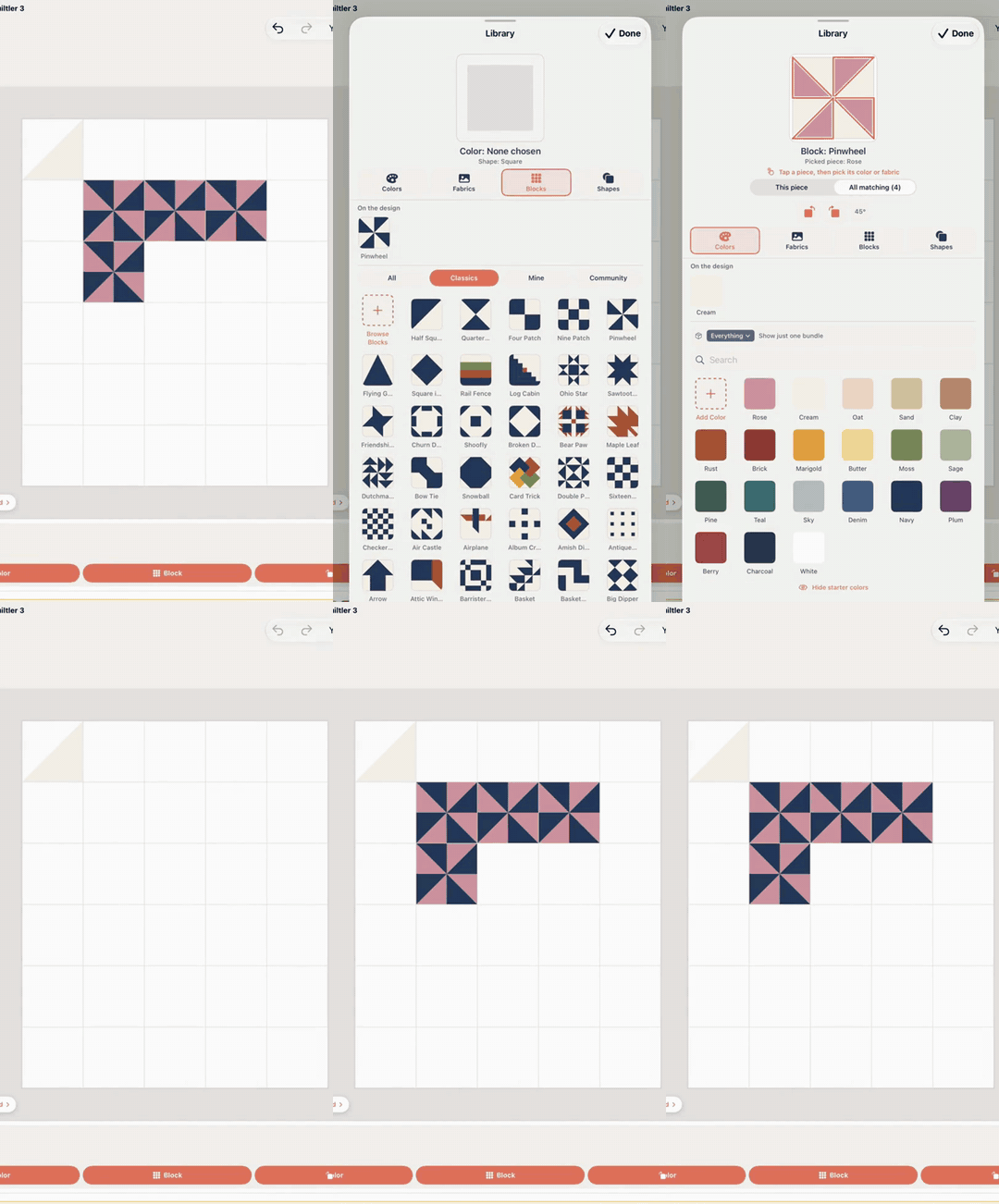
Quiltler 3 is a free download for iPad and iPhone, and the same quilts open in the browser studio on a Windows PC or a Mac. On the iPad you design with one finger or Apple Pencil, and swipe with two fingers to move around and pinch to zoom. You can put a classic block on the quilt, set blocks on point, add sashing and borders, design your own shapes, and photograph fabric you own and drag it onto the pieces. A photo can become a quilt of hexagons and other English paper piecing shapes.
Design is free to try. The free account keeps one saved quilt and ten fabrics, with no card and no countdown. Cutting sizes, yardage and the cutting plan for a quilt you design come with a Quilter plan, or with a one-time purchase of that one quilt’s pattern; on the iPad they live on the Yardage screen. The full printable pattern, with true-scale templates and mirrored sheets for foundation paper piecing, is made in the browser studio from the same saved quilt. The twenty-four quilting calculators are free in the app’s Calculators tab. The longer tour of the iPad app is quilting app for iPad.
EQ8 and Quiltler, only on the iPad question
Short labels. EQ8 is the deeper desktop program; this table is about the tablet in your hand.
| Feature | Quiltler | Electric Quilt 8 |
|---|---|---|
| Runs on iPad | Yes Native iPad app | No No iPad version |
| Touch and Pencil | Yes Drawn for them | Mouse and keyboard program |
| Windows PC | Yes In a browser | Yes Installed download |
| Mac | Yes In a browser | Yes Installed download |
| Block library | Classic blocks, growing | Yes Very large |
| Fabric | Yes Photos of your stash | Yes Built-in fabric libraries |
| How you pay | Free start, then Quilter | Bought once |
Electric Quilt sells EQ8 once rather than by subscription; check their shop for the current price. Quiltler’s prices are shown at checkout; terms are the legal copy.
Moving an EQ8 quilt to the iPad
There is no file to carry across. EQ8 project files are Electric Quilt’s own format, and Quiltler does not open them. What does carry across is the design itself: most quilts people draft in EQ8 are classic blocks in a setting, with sashing and borders. Rebuild one in Quiltler by starting a quilt at the finished size, stamping the block from the library, and dropping in your fabric. Quiltler then works out its own cutting plan from the pieces, rather than translating someone else’s.
Keep both if that suits you. Plenty of quilters keep EQ8 at the desk for deep drafting and its libraries, and design the everyday quilts on the sofa. If you are deciding whether to keep EQ8 at all, read the Electric Quilt comparison, which credits what EQ8 still does better. If you are on a Mac and only want to know your options there, that is quilt design software for Mac.
Other iPad quilt apps worth a look
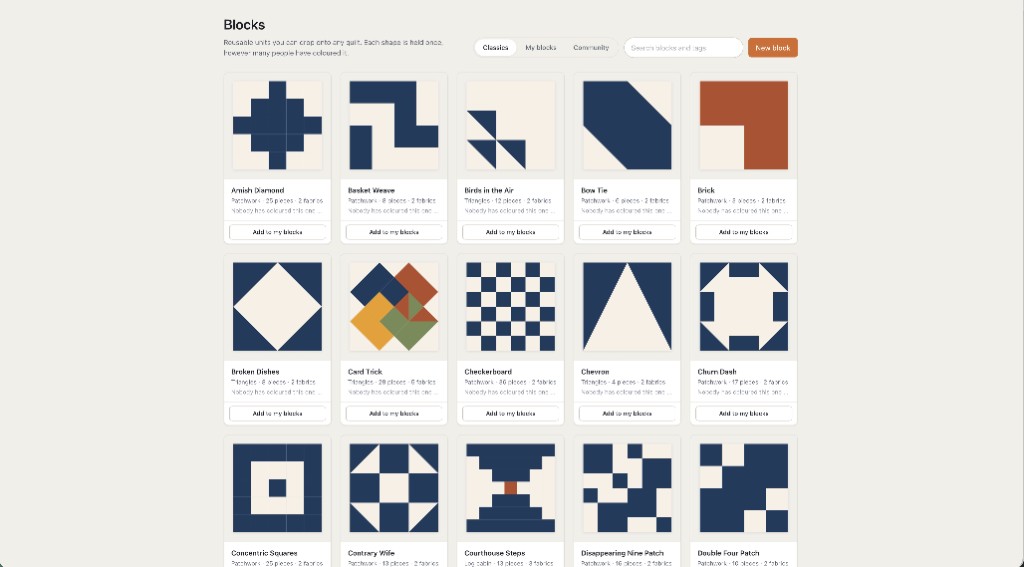
Quiltography is an iPad quilt design app sold once on the App Store, with block templates, stash photos and a yardage calculator. If you will only ever design on the iPad, it is a fair choice; the side-by-side is the Quiltography alternative. PreQuilt runs in a browser, including Safari on an iPad, and suits coloring a pattern you already have; see the PreQuilt alternative.
A wave of newer iPhone and iPad apps, such as QuiltFit, Quilt Duck and Swatchit, each do one part of the job: planning a block quilt, seeing your fabric in a pattern, or coloring. They are compared fairly on best quilting apps for iPhone. The cross-platform table of the bigger names is the app roundup.
Try one quilt you have already made in EQ8. If you can rebuild it on the iPad in an evening and the cutting plan matches what you sewed, you have your answer.
The iPad, from other angles
Electric Quilt comparison
The full split: block library, fabric, price model and who should pick which.
Quilting app for iPad
What to look for in an iPad quilt app, and how Quiltler does it.
Quiltography alternative
The other established iPad quilt app, compared fairly.
Best quilting apps for iPhone
QuiltFit, Quilt Duck, Swatchit and others, by what each one does.