A Quilt Geek alternative search is a math search. People want binding, backing, half-square triangles, and a number they can take to the shop, and they want to know whether that number costs a subscription. Quiltler vs Quilt Geek is that question. Quilt Geek, from Designed to Quilt, is an iPhone and Android calculator app. Its listing advertises 20+ calculators, and the upgrade unlocks the rest of them, plus saving and favorites. Quiltler’s quilting calculators are twenty-four tools on the web and in the iPhone and iPad app. Every one is free. They do not ask for an account, and they do not spend the free quilt. The longer gate on the drawing side is free quilt design software.
On this page
Quiltler and Quilt Geek at a glance
Short labels. Quilt Geek’s plans change; confirm the free download in the app. We do not freeze their price on this page.
| Feature | Quiltler | Quilt Geek |
|---|---|---|
| The job | Studio, plus free math | Calculator app |
| Calculators | Yes 24, every one free | 20+, mostly paid |
| Free math | Yes The whole directory | Binding and backing |
| What you pay for | Yes The design studio | The other calculators |
| Platforms | Yes Browser, iPhone, iPad | Yes iPhone and Android |
| Saved work | One quilt, two fabrics | Premium saves calculations |
| Design | Yes Cuts, photos, packs | Quilt Builder grid |
Quilt Geek’s maker has said binding and backing stay free. The store listing has also named batting. Their premium is the rest of the calculators. Quiltler prices live at checkout; terms are the legal copy.
Where Quilt Geek is the honest pick
What works about Quilt Geek
- A pocket calculator you can open in a fabric store, on iPhone or Android, with no browser tab.
- Charts, diagrams, and a metric or imperial switch across the tools.
- Named jobs Quiltler does not publish as their own calculator: a T-shirt quilt, quilt kitting, and fabric-saving cut layouts.
- Quilt Builder previews a block and a top from squares, rectangles, half-square triangles, quarter-square triangles, and flying geese, with sashing and borders.
Where it falls short
- The listing’s 20+ calculators are the paid product. Free, as their maker describes it, is binding and backing.
- Saving a calculation and favoriting a tool sit on the premium side of that same upgrade.
- Quilt Builder is a grid of a few unit types, not a studio for photographed cloth or a printable pack.
- There is no browser desk. If the phone is at home, the math is at home.
Where Quiltler is the honest pick
What works about Quiltler
- Twenty-four calculators, free, with no account, on the web and in the iPhone and iPad app.
- Tools their listing does not name: a hanging sleeve, quilting thread, hexagons, a nine patch, a snowball, square-in-a-square, fat quarters, and project cost.
- The subscription buys the design studio: more than one saved quilt, more than two fabric photos, and a pattern pack.
- Original piecing, stash photos, and foundation sheets live in that studio, on the same account as the phone.
Where it falls short
- Free accounts keep one saved quilt and two fabrics. The canvas is free; the cabinet is not.
- No Android app. The calculators and the studio run in a phone browser; the native apps are iPhone and iPad.
- No dedicated T-shirt quilt calculator, no quilt-kitting calculator, and no fabric-saving cut diagram like theirs.
- A global metric switch is theirs. Quiltler’s measurement calculator converts lengths and fabric widths.
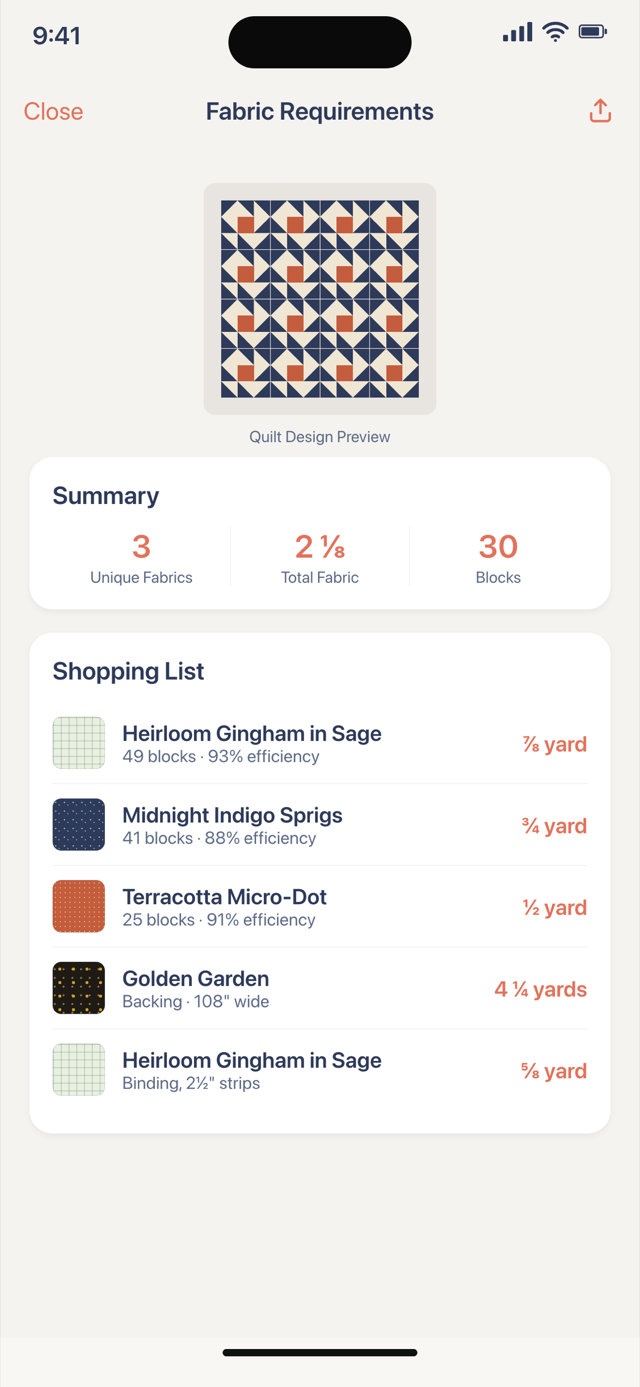
The subscription is a different object
Quilt Geek’s upgrade is the math. Download the app and you can run the free calculators. Want the borders, the sashing, the half-square triangles, the flying geese, the backing layouts, the bias strip, the precut gauge, or a saved calculation to pull up while you shop? That is the subscription. Their App Store listing says so, and a developer reply on that listing names binding and backing as the two that stay free. Confirm the current free set in the app before you judge a screenshot. We are not going to invent a monthly price here. Prices move, and the structural fact is enough: you pay them to unlock calculators.
Quiltler’s calculators sit outside that decision. Open binding, backing, batting, a half-square triangle, flying geese, borders, sashing, precuts, or the whole directory. No card, no account, no countdown. The same list is in the iPhone and iPad app, and it does not use a subscription or a saved quilt. A fabric calculator is there when the question is yardage for a pieced top rather than one rectangle.
What a Quiltler subscription pays for is the studio. Design is free to try. A free account keeps one saved quilt and two fabrics, and can see finished size plus a fabric total. The unlimited library, a larger photo stash, the cutting chart, and the printable pack are paid. Foundation sheets in that pack are foundation paper piecing: sew the dashed line, trim to the solid. That is a design output. It is not a second meter on the calculators. If the only thing you needed was the math, you do not need the subscription.
Twenty-four free calculators, and the gaps
Count the directory, not a slogan. Finishing: binding, bias binding, backing, diagonal backing, batting, a hanging sleeve, and quilting thread. Piecing: half-square triangles, quarter-square triangles, flying geese, setting triangles, square-in-a-square, snowball, a nine patch, and hexagons. Layout: borders, sashing, and quilt size. Fabric: strips, pieces, precuts, fat quarters, measurements, and project cost. That is twenty-four. Quilt Geek’s public line is “20+”. A larger free set is the claim, and it is a count of pages you can open today, not a trophy.
They still have tools this directory does not. A T-shirt quilt with sashing and borders, a kitting calculator for more than one quilt, and a fabric-saving cutting layout for directional cloth are real quilting jobs. If that is the Tuesday errand, Quilt Geek is the more specific app, and paying them for it can be the right bill. Quiltler’s answer to “how does this top go together” is the studio, not another single-purpose calculator: stamp a block, draft a cut, drop in cloth you photographed, and let yardage follow the pieces. The map of that product is quilt design software. A session with no installer is the online quilt designer.
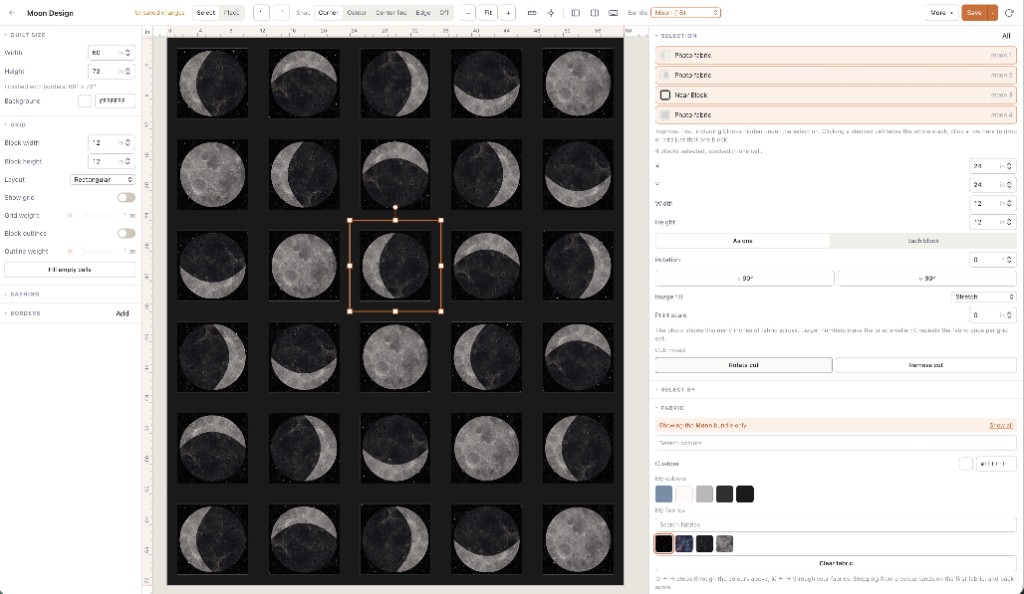
Keep Quilt Geek if you want a saved calculation in your pocket and you are happy to subscribe for the math. Switch the math to Quiltler if you want every calculator free. Subscribe to Quiltler only when you want the design studio.
How to try the math before the studio
Start with a calculator, not a signup form. Pick the sum you actually have this week — binding for a quilt you already pieced, geese for a block, backing for a throw — and change the example numbers. The card follows. That is the whole free argument: the math is not a trial, and it is not hidden behind the design product.
If the number makes you want to draw the top, open the studio. Stamp a block or draft a cut. Photograph a background and a focus print. Save the one quilt you would sew. Free is one saved quilt and two fabrics. Packs and an unlimited library are the subscription, which is the same honest limit on free quilt design software. A locked-down computer that will not take an installer can still use the quilt designer for web.
Who should pick which
Pick Quilt Geek if the phone is the tool, you want diagrams and a metric switch, you need a T-shirt quilt or a kitting run, and a subscription for calculators is a bill you already understand. Pick Quiltler if you want the calculators free — more of them, in the browser and on iPhone and iPad — and you want a subscription to mean design: quilts you keep, fabric you photograph, and a pack you can sew. Pick a colouring tool if the job was never math; that split is the PreQuilt alternative. A wider named-app table lives in the app roundup, and the buying tests are on best quilt designer.
Hobby sewists who calculate every weekend and design a few times a year should not pay twice for arithmetic. Use the free calculators for the sums. Open the studio when the top itself is the question. Teachers on a shared computer can send a student to a calculator URL with no account. Designers who might later sell patterns are past the calculator and into the pack.