Search digital rotary cutter quilt design when you want blade-style splits on a top or block — the way you might slice with a rotary tool, drawn first in software. Quiltler places those cuts in the quilt editor: line, circle, fan and curve blades. This page is that planning tool, not hardware, and not the full patchwork designer tour. Custom units you invent live on quilt cut designer. Layout and borders stay on quilt layout software.
On this page
What the digital blades actually do
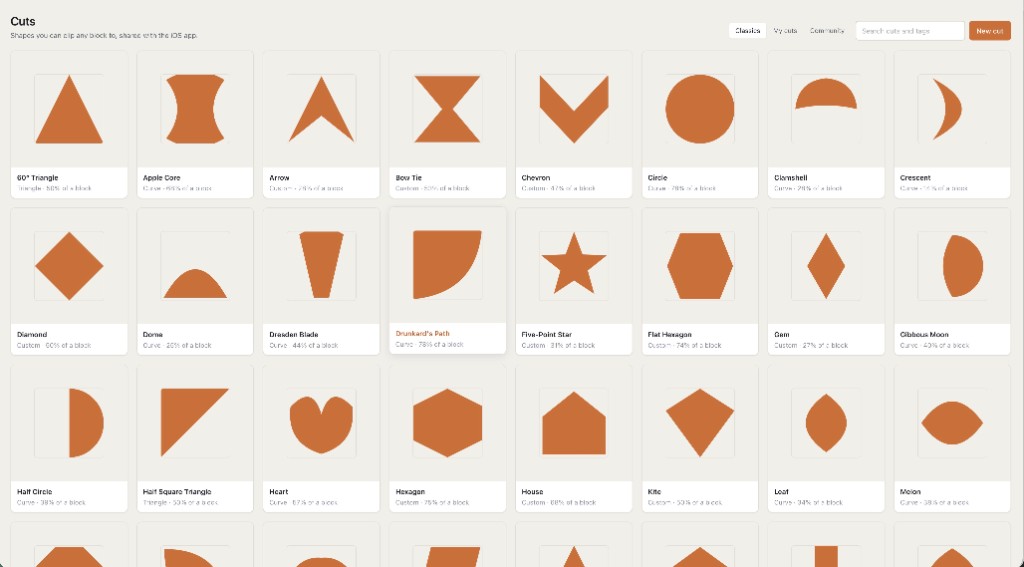
- Line blade. Split a piece or region along a straight cut — planning how fabric will be divided before you sew or sub-cut on the mat.
- Circle and fan blades. Radial splits for wedges, dresden-style planning, or segments that must meet at a centre. The math stays on the pieces, not on a decorative overlay.
- Curve blade. Gentle or tight curves that become pieced edges with seam allowance logic, not a SVG sticker.
- Yardage follows cuts. Finished size and a fabric total update when blades change the piece list. Free accounts keep one saved quilt and two fabrics.
- Paper when blades are not enough. Some splits are easier as FPP. The pack can include sheets from foundation paper piecing while blades handle the rotary-friendly plans.
Digital planning, not a machine on your desk
Quiltler will not drive a Bluetooth cutter or replace a sharp rotary blade. The name you searched is about design-time splits: see the wedges, read the yardage, sew the seams yourself. That honesty matters because some listings promise hardware they do not ship. Here the product is the quilt editor in a browser tab and on iPhone and iPad — same account, same blades.
If you needed a catalog of classic blocks instead of slicing a region, use quilt block designer. If you needed custom shapes saved to a library, pair this page with quilt cut designer. The shop list for the finished top is still quilt planner software.
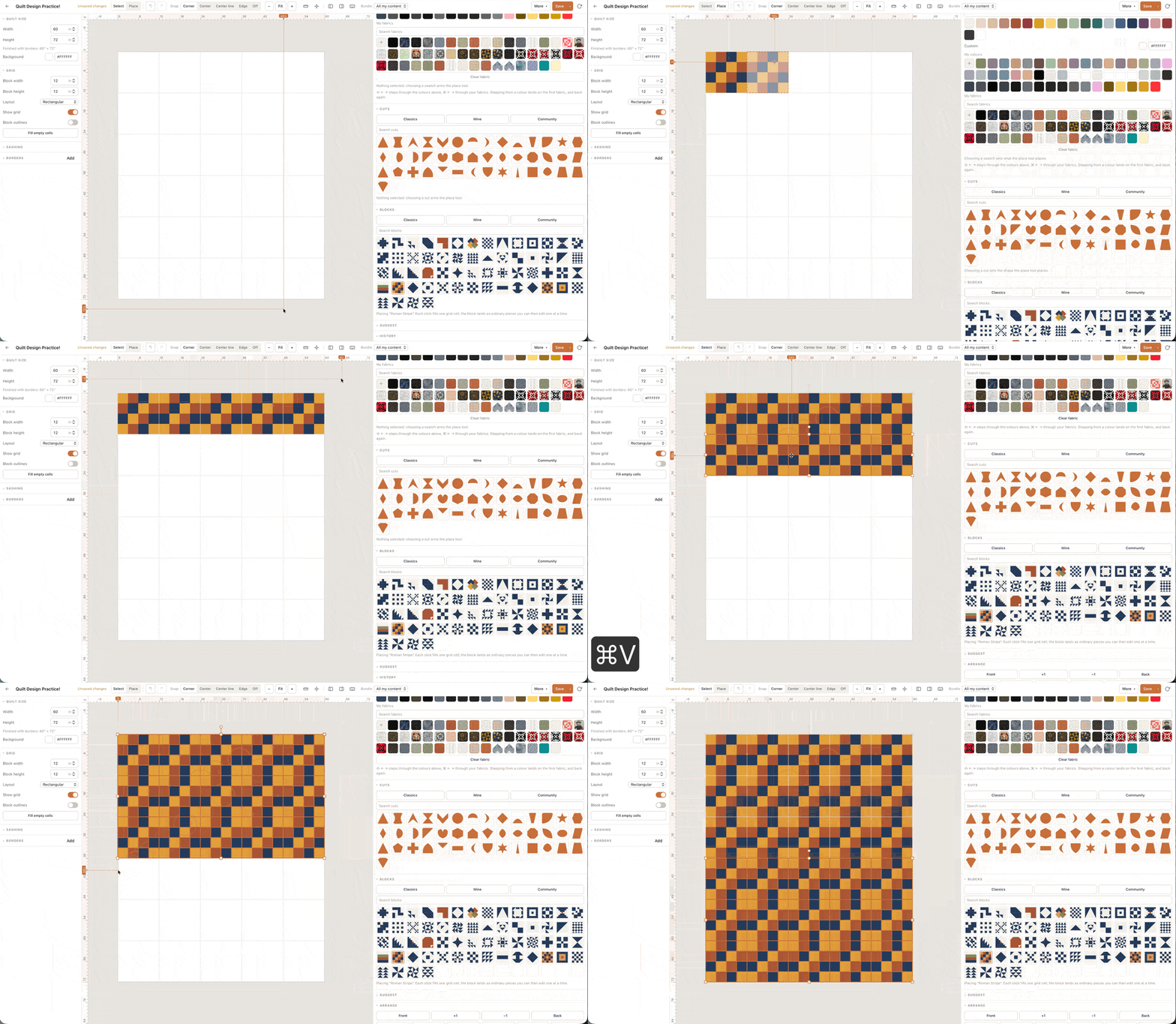
A blade that does not change piece yardage is decoration. Quiltler blades change the piece list.
How a blade session moves
Open a quilt or block. Choose a blade tool. Draw on the region you intend to split. Confirm the pieces, paint fabric roles, and read finished size plus the fabric total. Undo exists when a fan was one spoke too many. Save the quilt you would sew — free allows one saved quilt.
Per-fabric charts, backing, binding and a printable pack are the subscription. Confirm prices at checkout; terms are the legal copy. The free allowance without this blade list is on free quilt design software.
Who this page is for
Quilters who plan wedge quilts, curved layouts, or sub-cuts on large background pieces before rotary work at the table. Teachers demonstrating why a fan angle changes yardage. It is a poor fit if you wanted to buy a cutting machine, or if you only needed to recolour a photo of a quilt you will not sew.
The online quilt designer is the same studio without an install. Product overview: quilt design software.