Search quilt cut designer when the unit in your head is not in a block catalog — a kite, a blade, a curve that has to match at every seam. Quiltler does that in the studio with Cut Creator and a cut library you can reuse. This page is custom shapes, not the whole product map on quilt design software. It is not quilt block designer, which is one square on a grid. And it is not only rotary planning on the quilt — that narrower job is digital rotary cutter quilt design, where line, circle, fan and curve cuts live on the canvas.
On this page
What a cut designer is responsible for
- The shape inside the piece. A cut is not clip art. Paint a colour and assign a cut; yardage counts triangles, curves and freeform edges the way a piecer counts them. That spine is patchwork designer language: pieces that meet at seams.
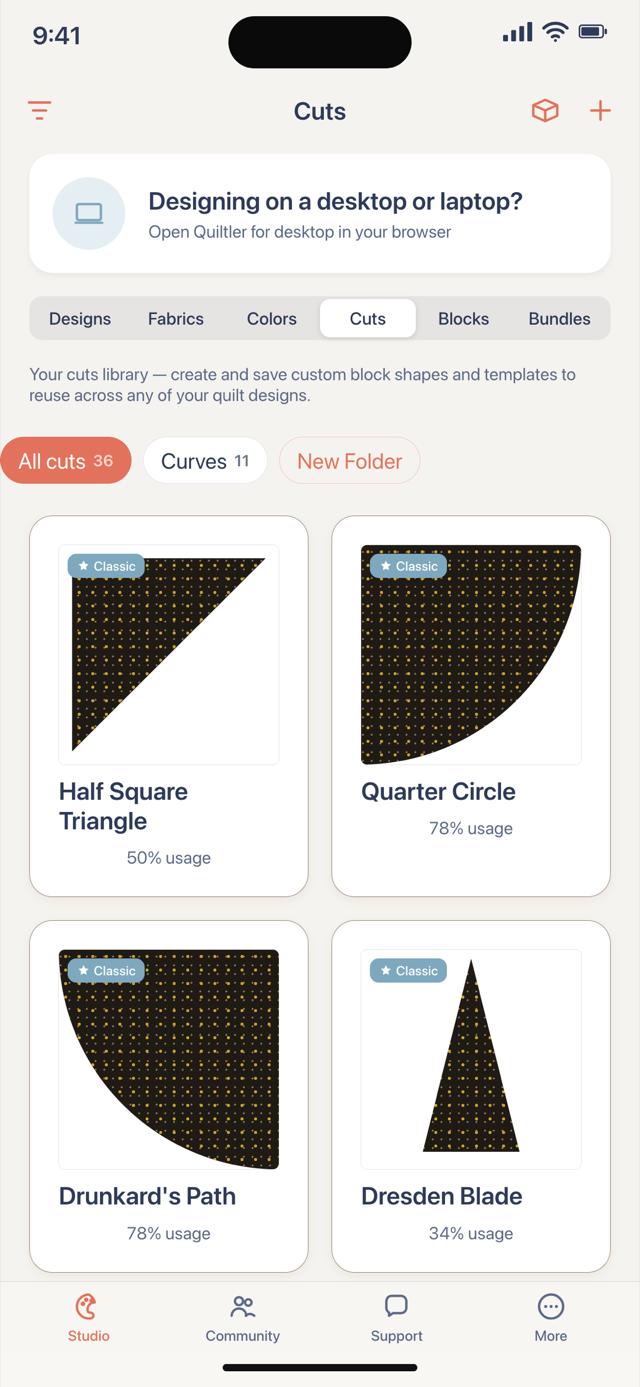
- Custom shapes you keep. Cut Creator draws units you name, mirror, and drop into blocks or layouts. Saving cuts into your library shares the same gate as unlimited quilts — free accounts keep one saved quilt and two fabrics, and can still design with built-in cuts on the canvas.
- When paper beats a shortcut. Some angles are easier on foundation paper. The subscription pack can include mirrored sheets from foundation paper piecing — Quiltler does FPP; that page is the printable papers, not the Cut Creator grid.
- Library vs one-off. The studio ships a cut library for common piecing. Cut Creator is for the shape you invented for this quilt — then you decide whether it belongs in your personal library after you subscribe.
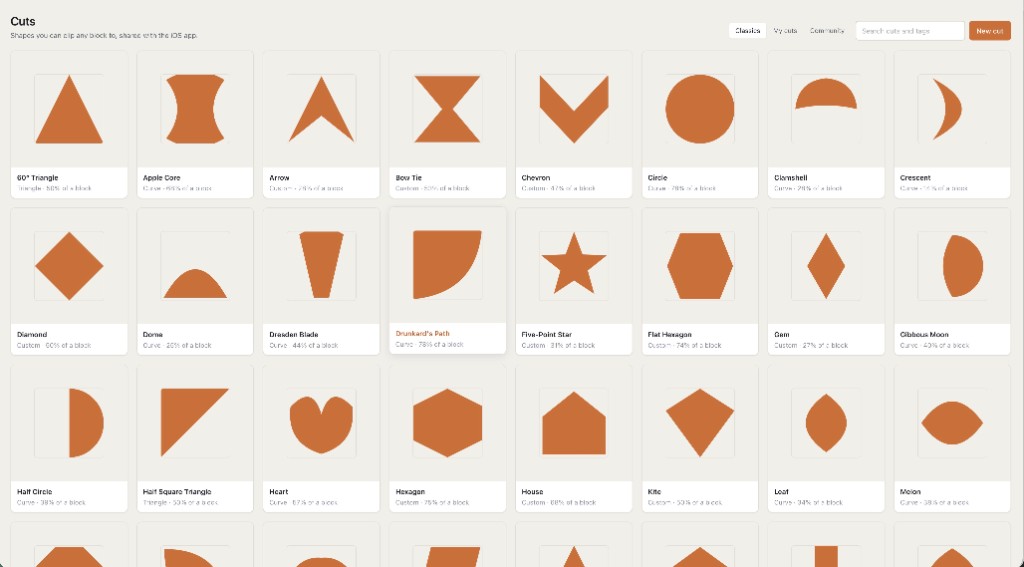
How a custom cut session actually moves
Open Cut Creator from the shapes panel. Draw the unit at the size you will sew — not a thumbnail that lies about seam allowance. Assign it to a piece on a block or on the quilt grid. Recolour the role and every matching cut follows. Finished size and a fabric total stay visible so you know whether the odd shape fits the throw before you cut yardage. Taking size, blocks, fabric and yardage to the shop is quilt planner software; this page is the shape that feeds those numbers.
If the custom unit is really one pieced square, start on quilt block designer: draft or stamp, then explode into cuts. If the job is slicing an existing top with rotary-style blades in the editor, read digital rotary cutter quilt design — same studio, different tool. Neither path replaces a physical rotary cutter on your mat; both are honest digital planning.
If the file cannot become pieces you cut, it is colouring software — even when the picture looks like patchwork.
Free canvas, honest limits
Cut Creator, built-in cuts, stamps and layouts run with no card. Free accounts keep one saved quilt and two fabrics — a background and a focus print — plus unlimited solid colours. You still see finished size and a fabric total counted from the pieces. Per-fabric yardage, backing, binding, batting, a cutting chart and optional FPP sheets are the subscription pack. Confirm prices at checkout; terms are the legal copy.
The allowance without this cut list is on free quilt design software. New to designing on a computer? Quilt design software for beginners starts by changing a layout that is already there, then save the one quilt you would sew.
Who this page is for
Piecers who need a shape the library does not ship: a custom blade, a tessellating unit, a curve that must repeat without drifting. Teachers who want the cut on screen before anyone opens a ruler. It is a poor fit if you only wanted to recolour someone else’s block JPEG, or if you needed a ranking of apps — that is best quilt designer, not a cut.
Craft depth lives in how to design quilts. The browser session is the online quilt designer; optional iPhone and iPad apps share the same cuts.
Around custom cuts
Patchwork designer
Piecing, layouts and fabric math from the pieces you cut.
Quilt block designer
One square: stamp, draft, then assign cuts inside it.
Digital rotary cuts
Line, circle, fan and curve blades on the quilt canvas.
Foundation paper piecing
Mirrored FPP sheets when a cut needs paper, not a shortcut.